How can I delete a portfolio?
Last updated: October 2, 2026
Here's how you can delete a portfolio:
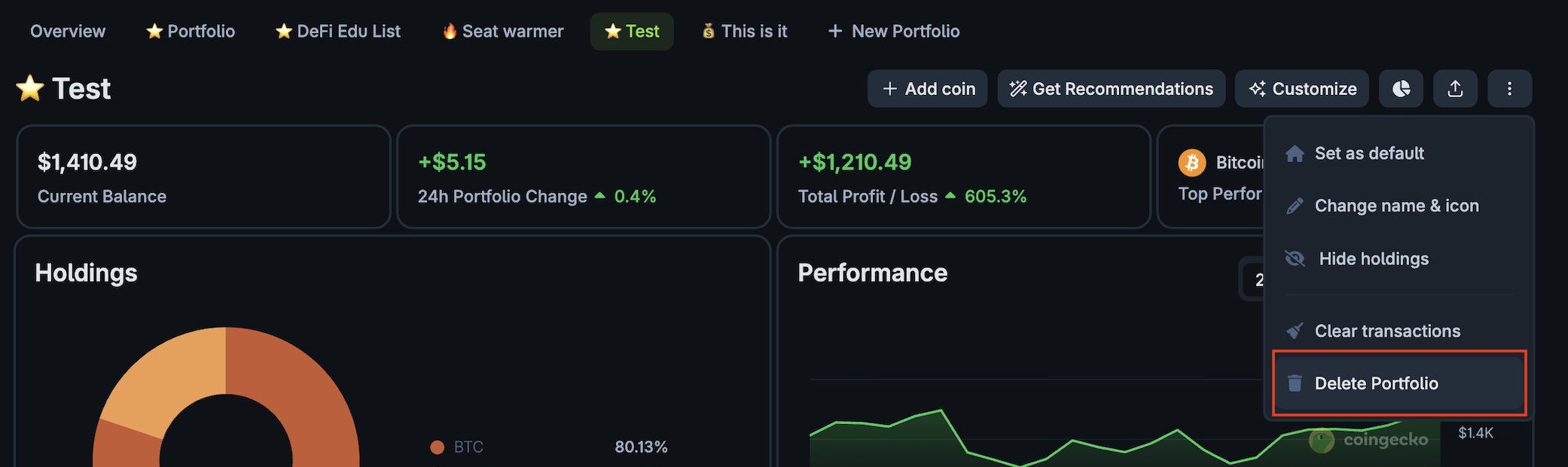
For desktop:
Head to and click on the 3 dots at the top right side. There should be a dropdown menu where you can select "Delete Portfolio".
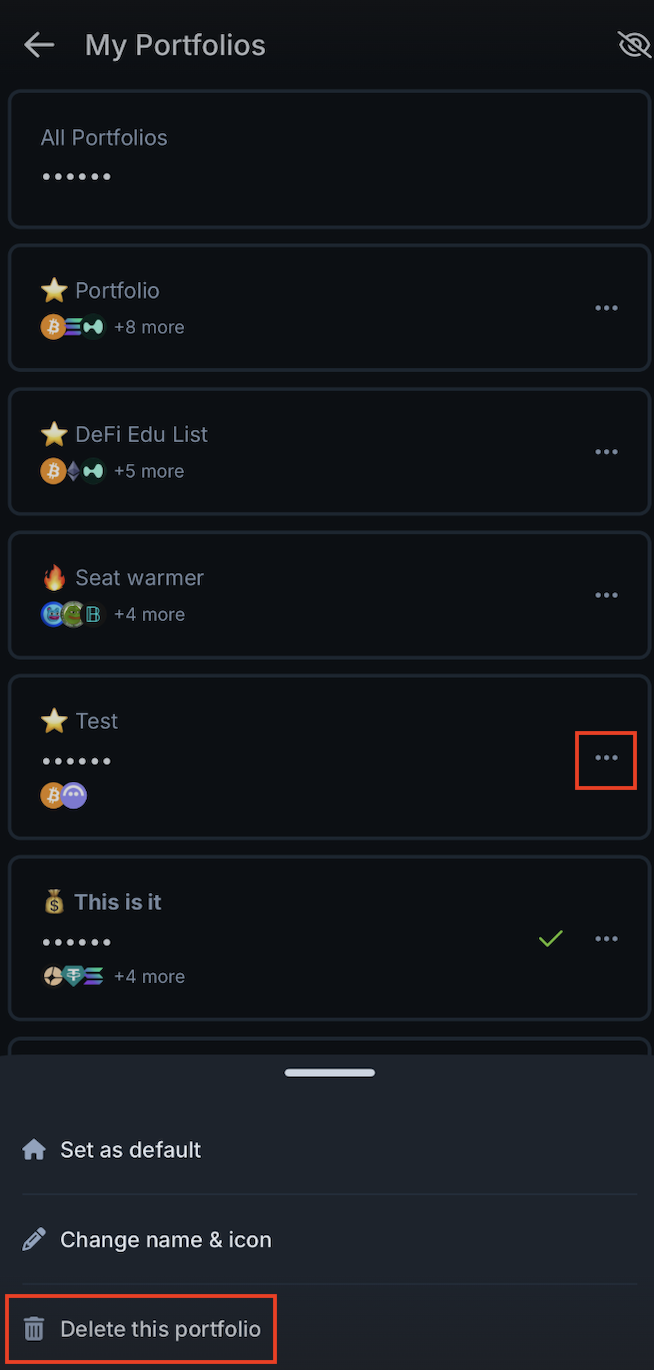
For mobile app:
Head to and click on the 3 dots at the right side of the portfolio you want to delete. There should be a dropdown menu where you can select "Delete this portfolio".
Only additional portfolios can be deleted; the default "My Portfolio" will not have the option to be deleted, only to be reset.