How do I set price alerts on CoinGecko?
Last updated: October 2, 2026
Setting Price alerts to get an update when the price hits certain threshold
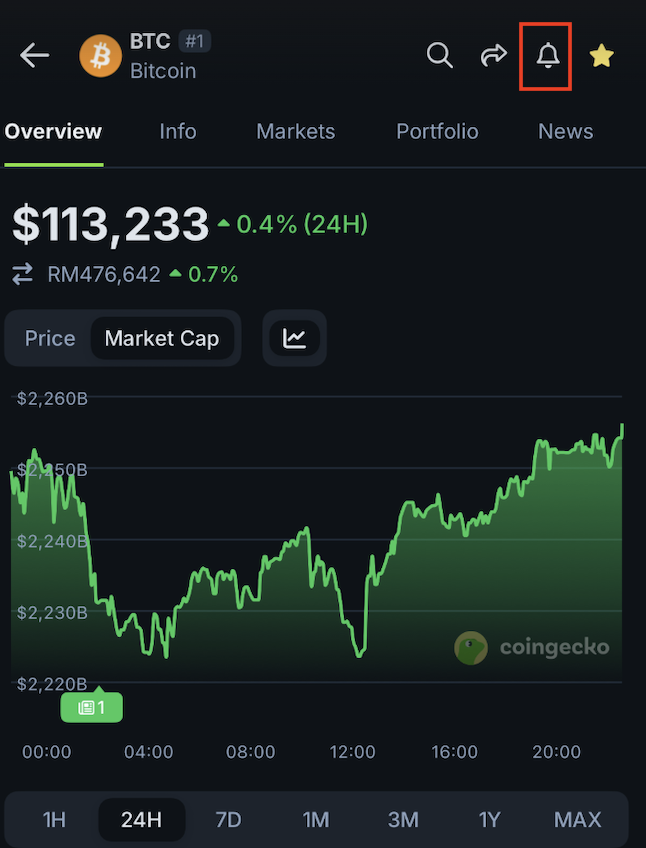
To set a Price Alert on CoinGecko.com, simply click on the "alarm" button on the coin you wish to set the alert of:
A price alert feature will pop up for you to set the price alert. You may either set a custom number or quickly choose a set percentage:
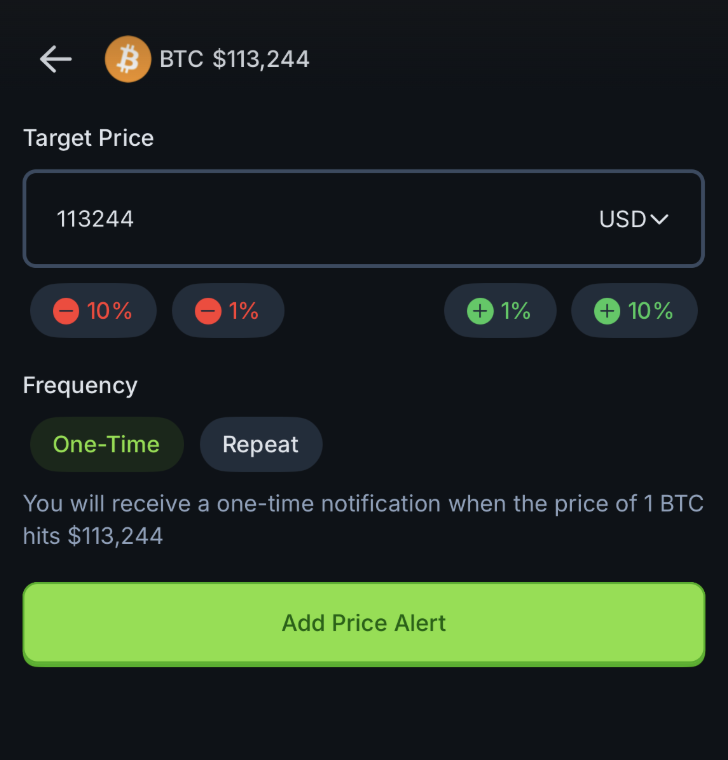
You will receive a price notification once the price hits the level that you have set.
For a detailed tutorial, please read How to Set Up the Price Alert Function on CoinGecko?