How to apply a promo code to Coingecko Premium
Last updated: November 23, 2026
Applies to: Coingecko Premium purchases made on the Coingecko website.
If you have a Coingecko Premium promo code, you can apply it at checkout on our website. Promo codes are available on the web only and cannot be used in the Coingecko iOS or Android app.
Current promotion
Halloween 2026: 10% off Coingecko Premium
Promo code: TREAT10
Discount: 10% off Monthly or Annual plans
Valid: 26 Oct to 7 Nov 2026 (UTC+8)
Where: coingecko.com only. Not available in the app.
Step 1: Go to the Premium pricing page
Log in to your Coingecko account on the website.
Visit the Premium pricing page.
Step 2: Start your subscription
What you see depends on whether you have used a free trial before:
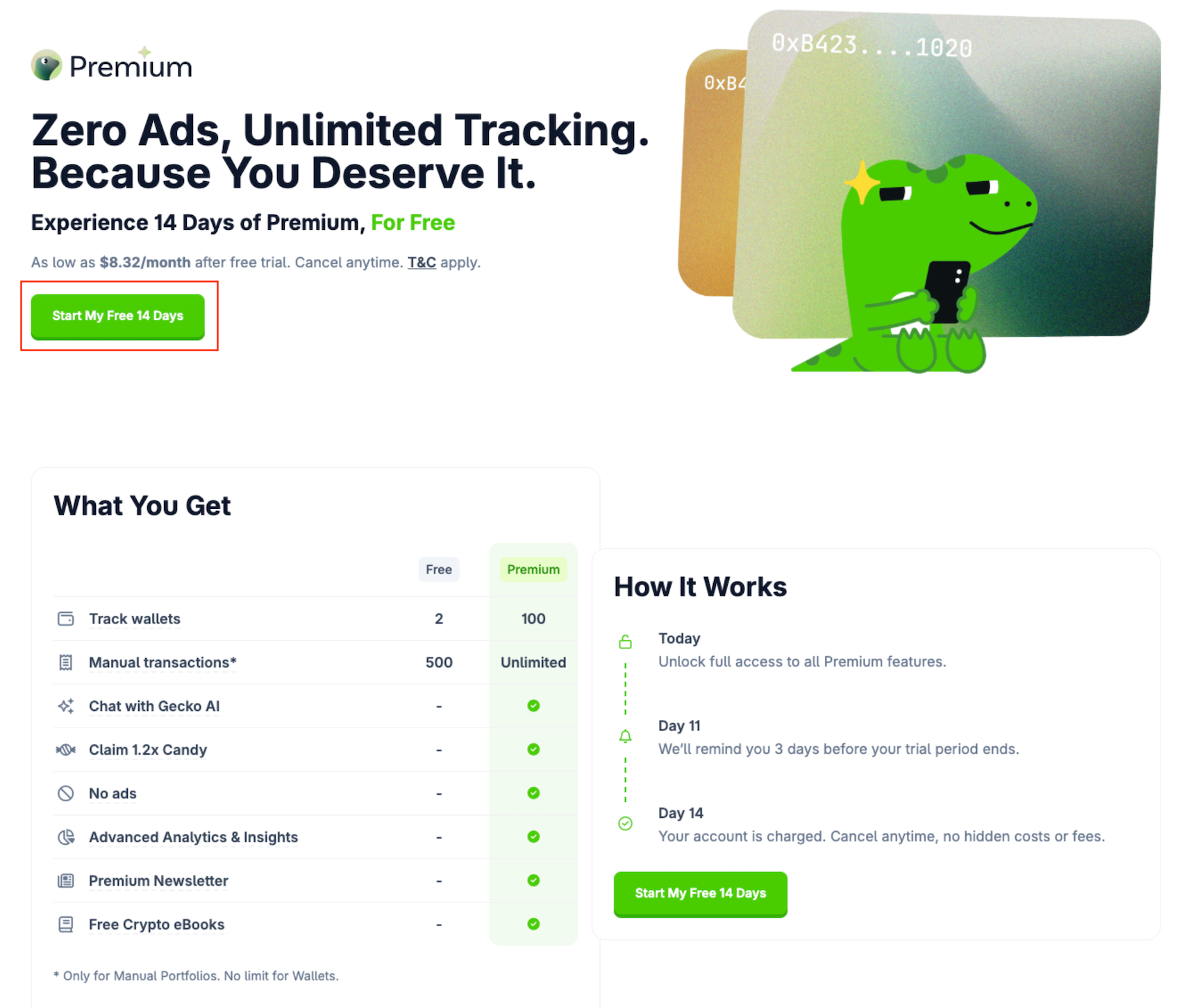
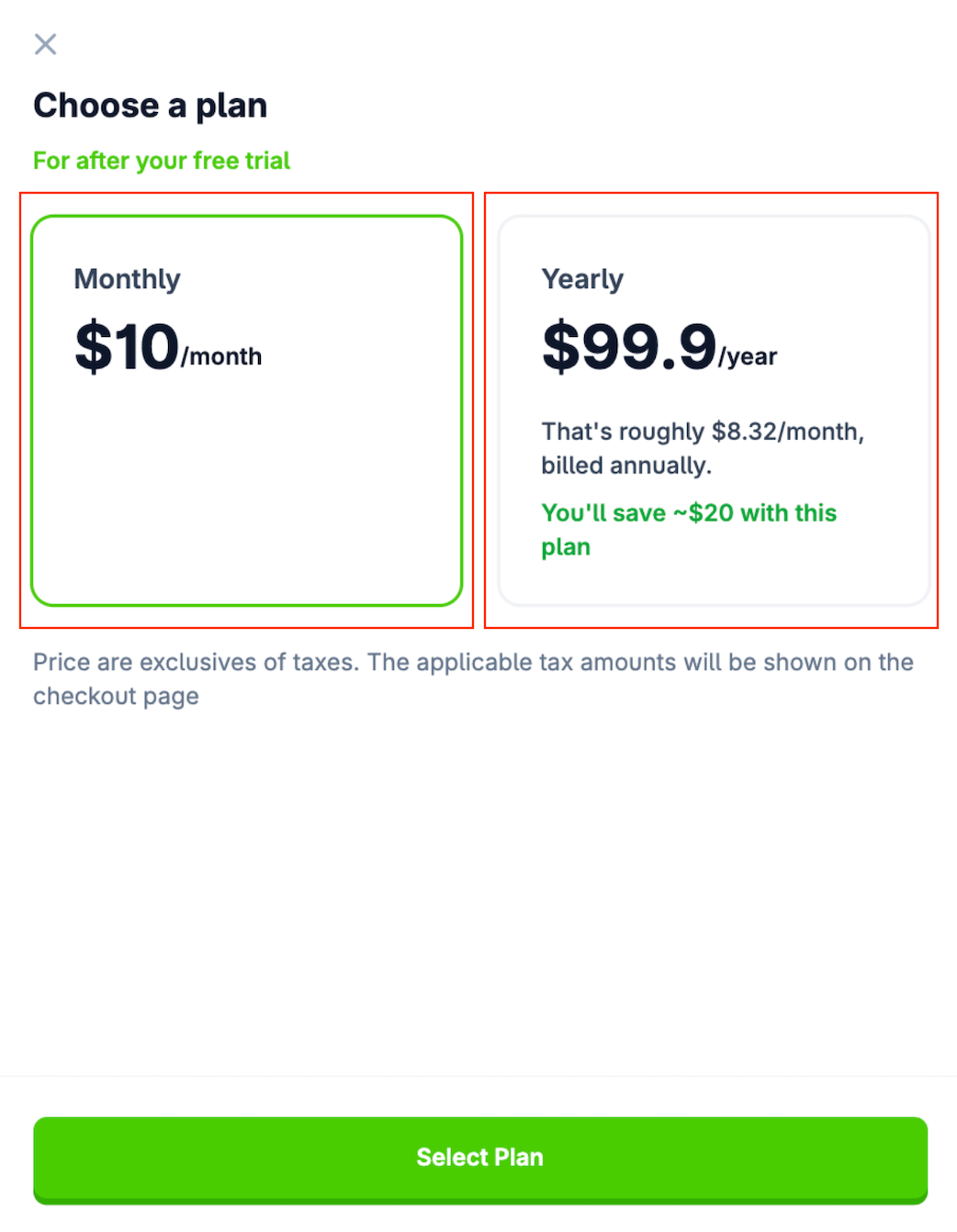
If you have never claimed a Premium free trial: select Start My Free 14 Days, then choose the Monthly or Yearly plan. This is the plan you will be billed for after your free trial ends.
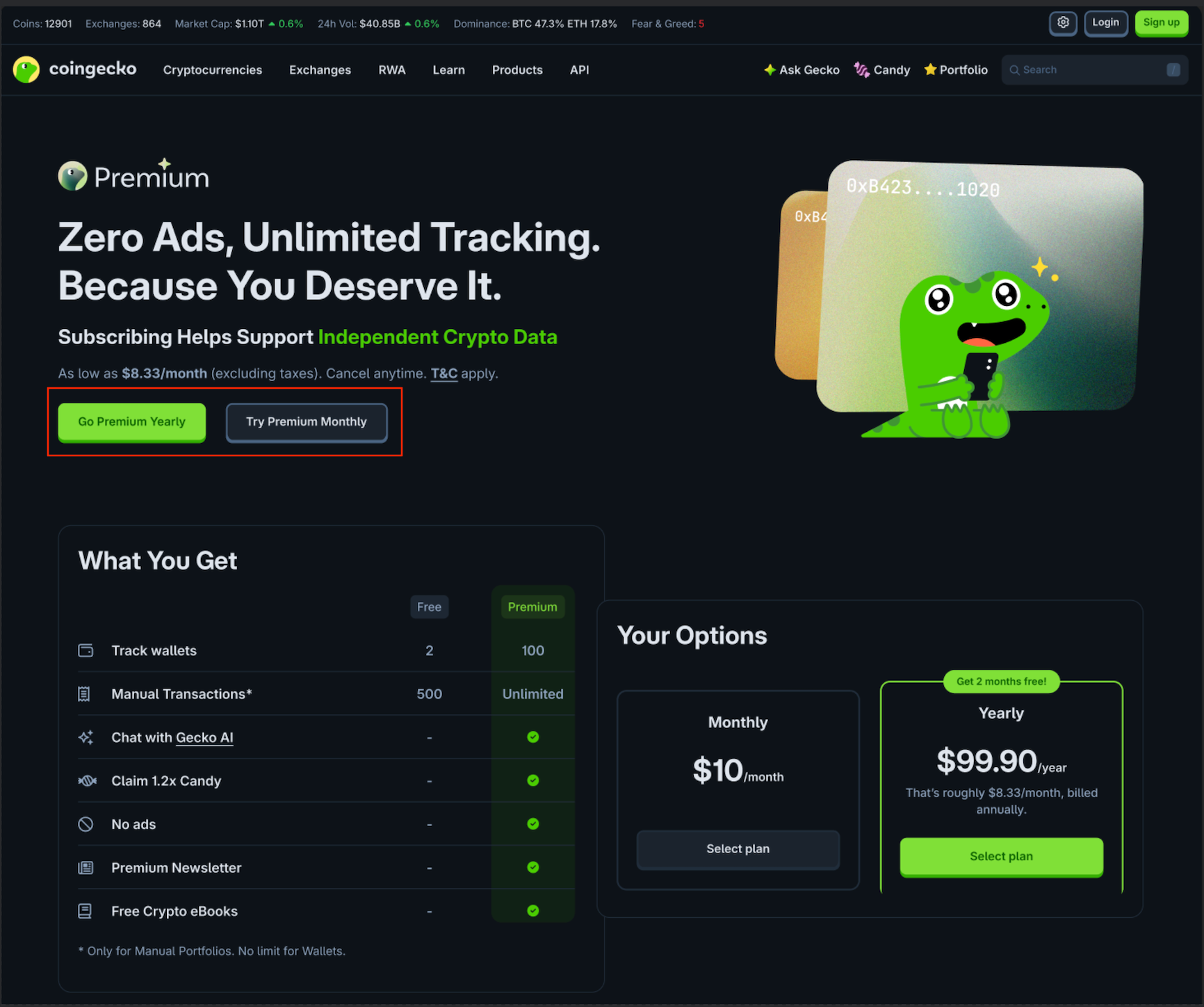
If you have claimed a free trial before: select Go Premium Yearly or Try Premium Monthly.
Step 3: Enter your billing information
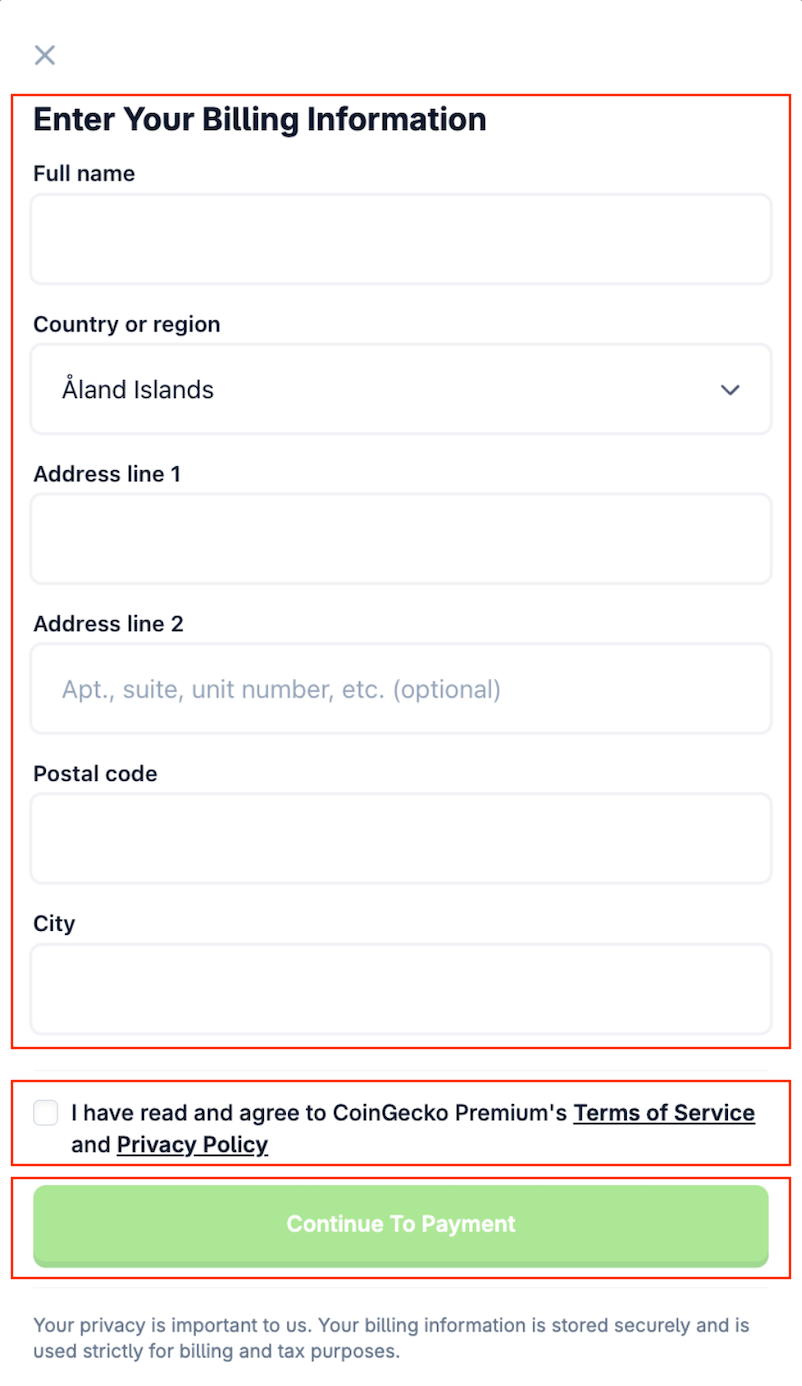
Fill in your billing details (full name, country or region, address, postal code, and city).
Tick the checkbox to agree to Coingecko's Terms of Service and Privacy Policy.
Select Continue To Payment. You will be taken to our secure checkout page, powered by Stripe.
Prices on the pricing page exclude taxes. Any applicable tax will be shown on the checkout page.
Step 4: Apply your promo code
On the checkout page, select Add promotion code.
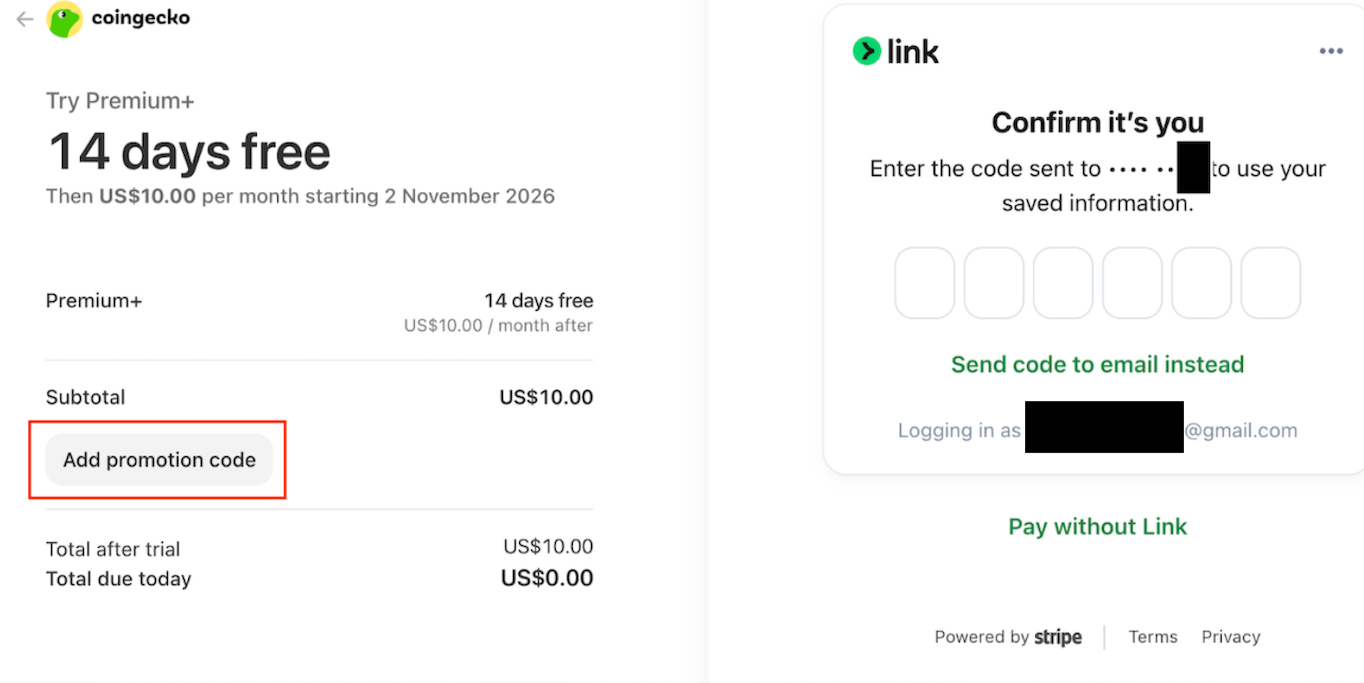
Enter your promo code and select Apply.
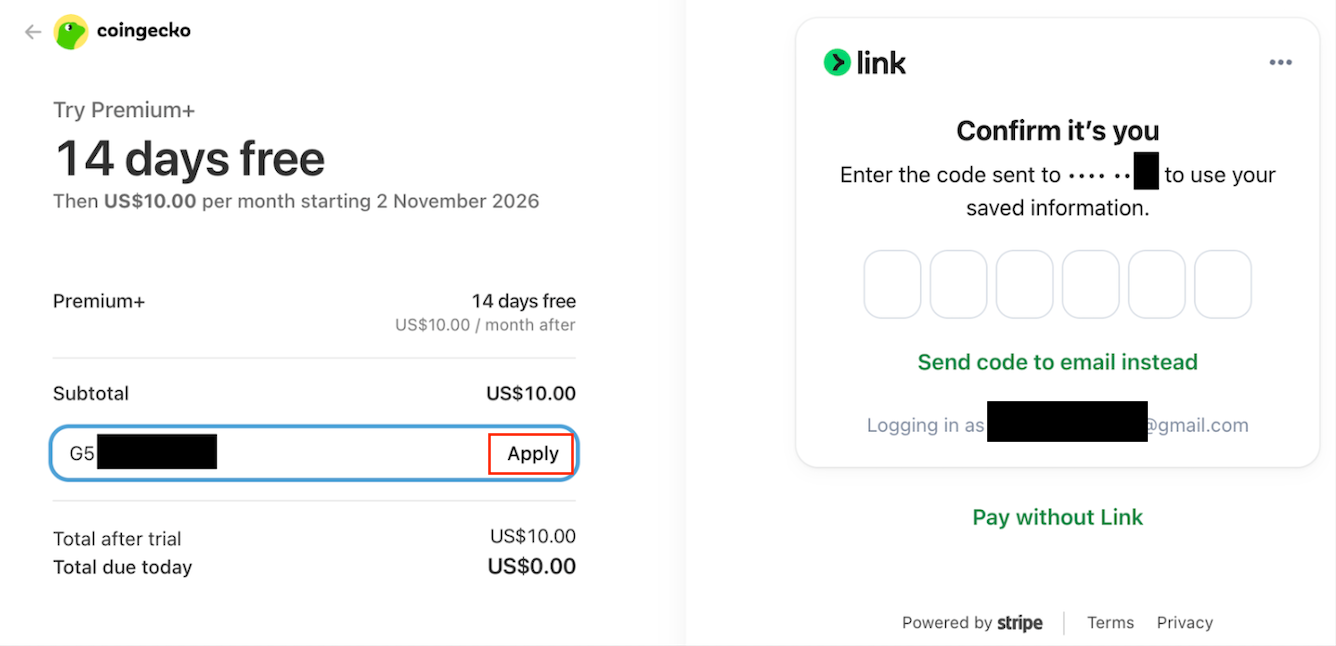
Check that the discount appears in the order summary before you pay.
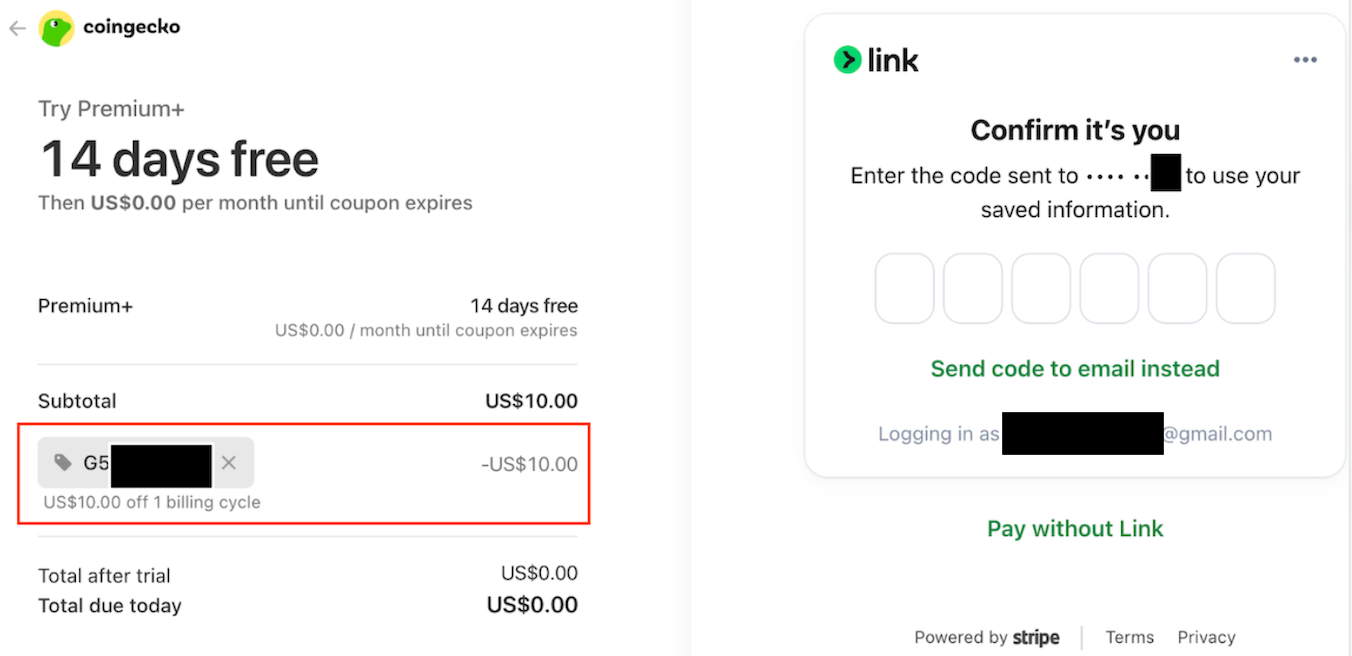
If you are starting a free trial, the discount applies to the amount you will be charged when the trial ends, so the amount due today will still show as zero.
Step 5: Complete payment
You can pay in either of these ways:
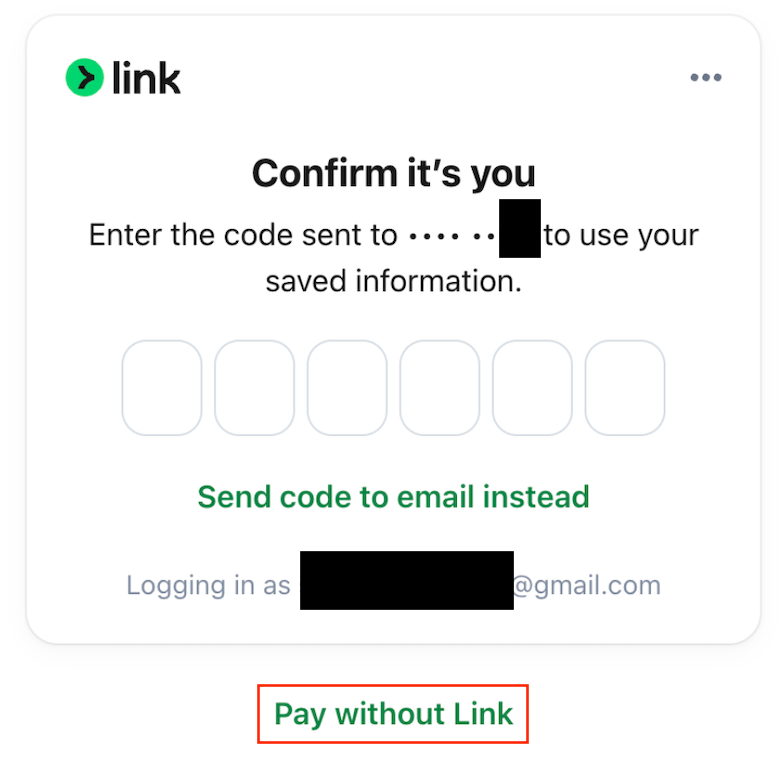
With Link: if you have a saved Link account, enter the verification code sent to you to use your saved payment details.
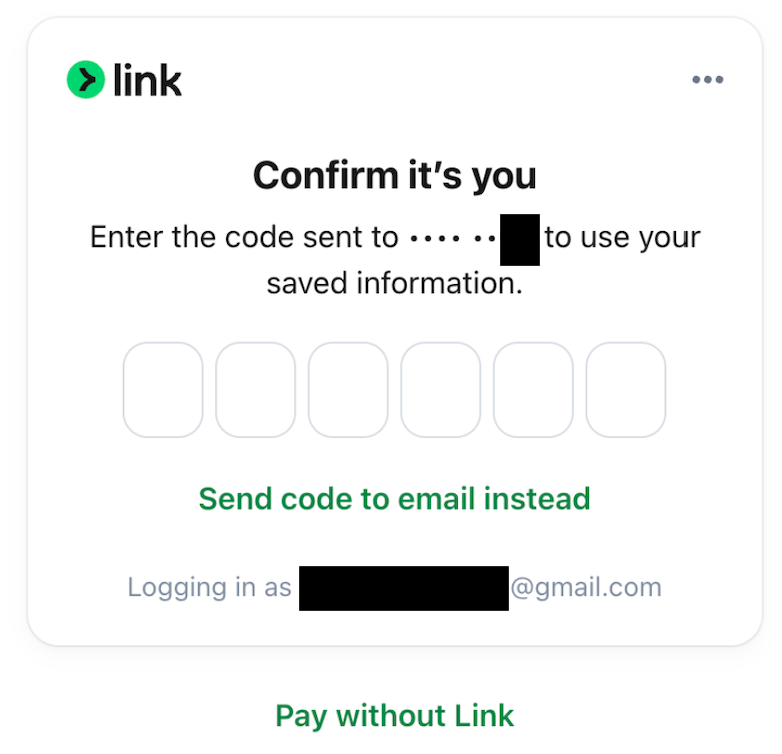
Without Link: select Pay without Link, then pay with Apple Pay or enter your card details.
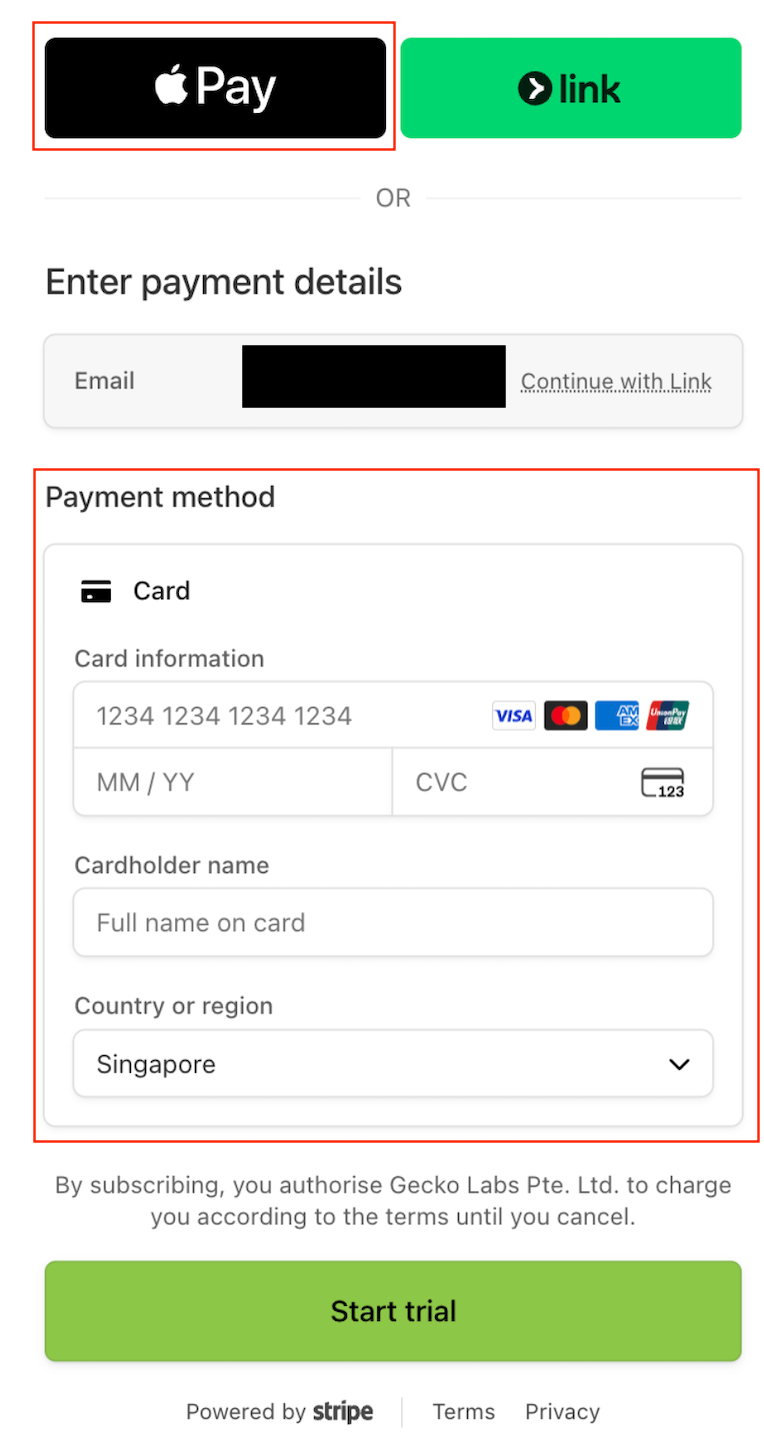
Select Start trial or the payment button shown to finish. Your Premium access starts once checkout is complete.
Frequently asked questions
Can I use a promo code in the Coingecko app?
No. Promo codes can only be applied on the Coingecko website. To use a promo code, subscribe through coingecko.com.
Does the discount apply to every renewal or only my first payment?
The discount code only applies to the first payment.
I already have a Premium subscription. Can I apply a promo code to it?
No, the code cannot be applied to an existing Premium subscription.
My promo code is not working.
Check that the code is entered exactly as shown, with no extra spaces, and that the promotion is still running. Promo codes are valid only during their campaign period. If the code still does not work, please contact our support team.
I forgot to apply my promo code before paying. Can it be added afterwards?
Promo codes need to be applied at checkout before payment is completed, and generally cannot be added after a purchase has been made.
Need more help? Submit a ticket and our team will assist you.