How to Turn Overage Setting On or Off
Last updated: October 2, 2026
Yes, you can easily turn overage billing on or off. By default, overage billing is disabled to prevent unexpected charges. However, if you are on a paid subscription plan, you have the option to manually enable or disable this feature directly through your Developer's Dashboard.
Managing Your Overage Setting
- Access the Dashboard: Log in to your CoinGecko account and navigate to your Developer’s Dashboard.
- Go to Overview: Select the Overview tab.
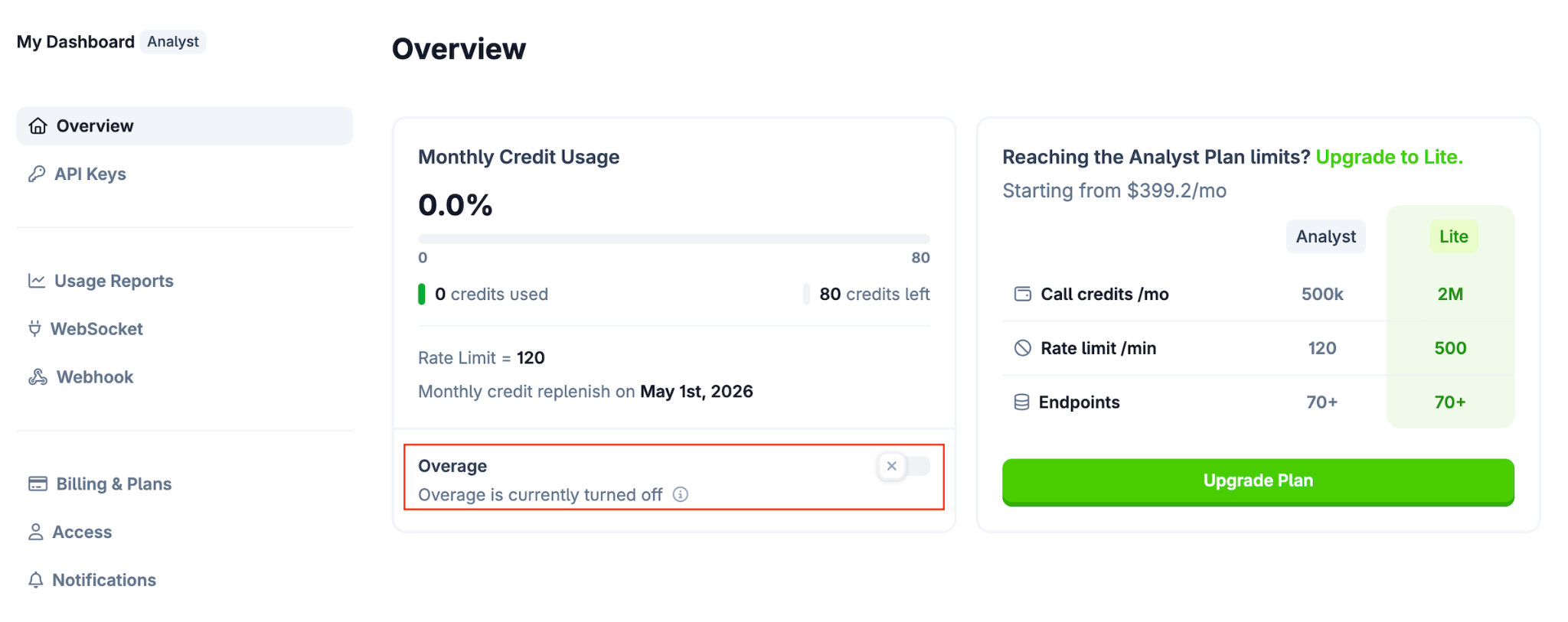
- Toggle the Setting: Locate the toggle button next to Overage and switch it on or off based on your preference.
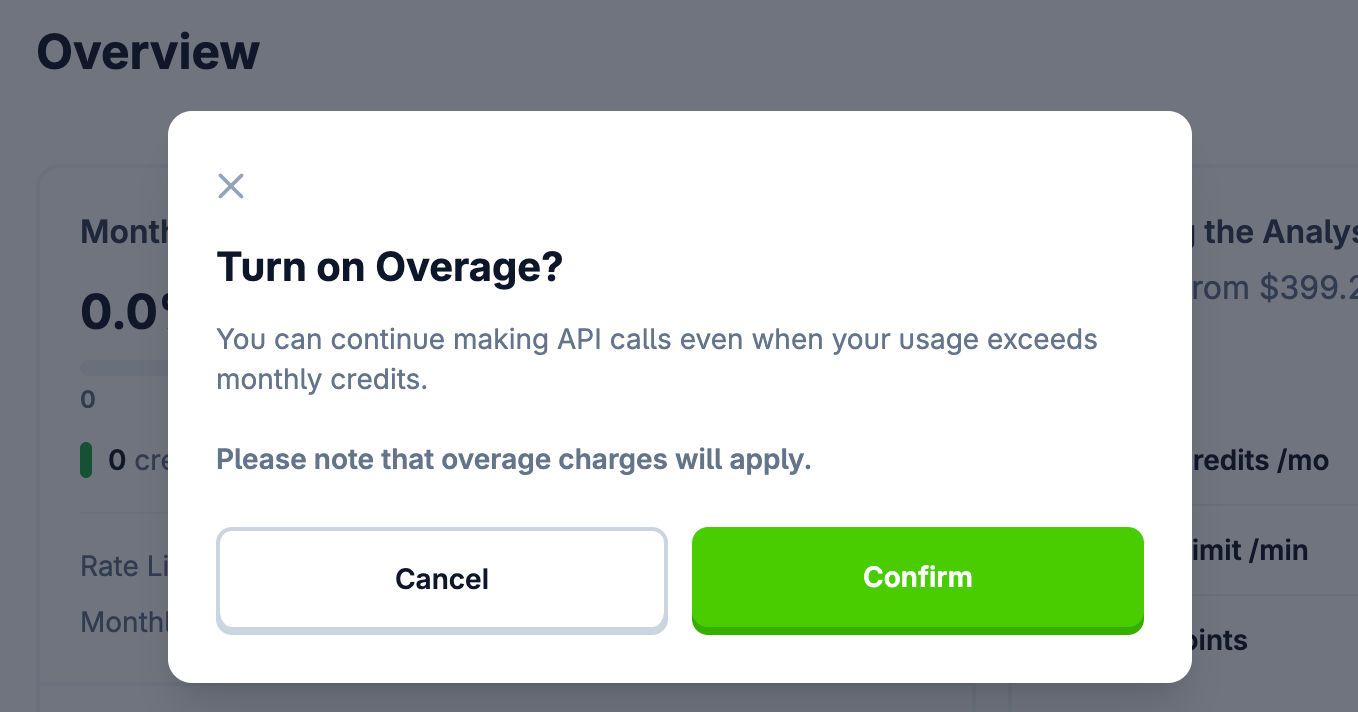
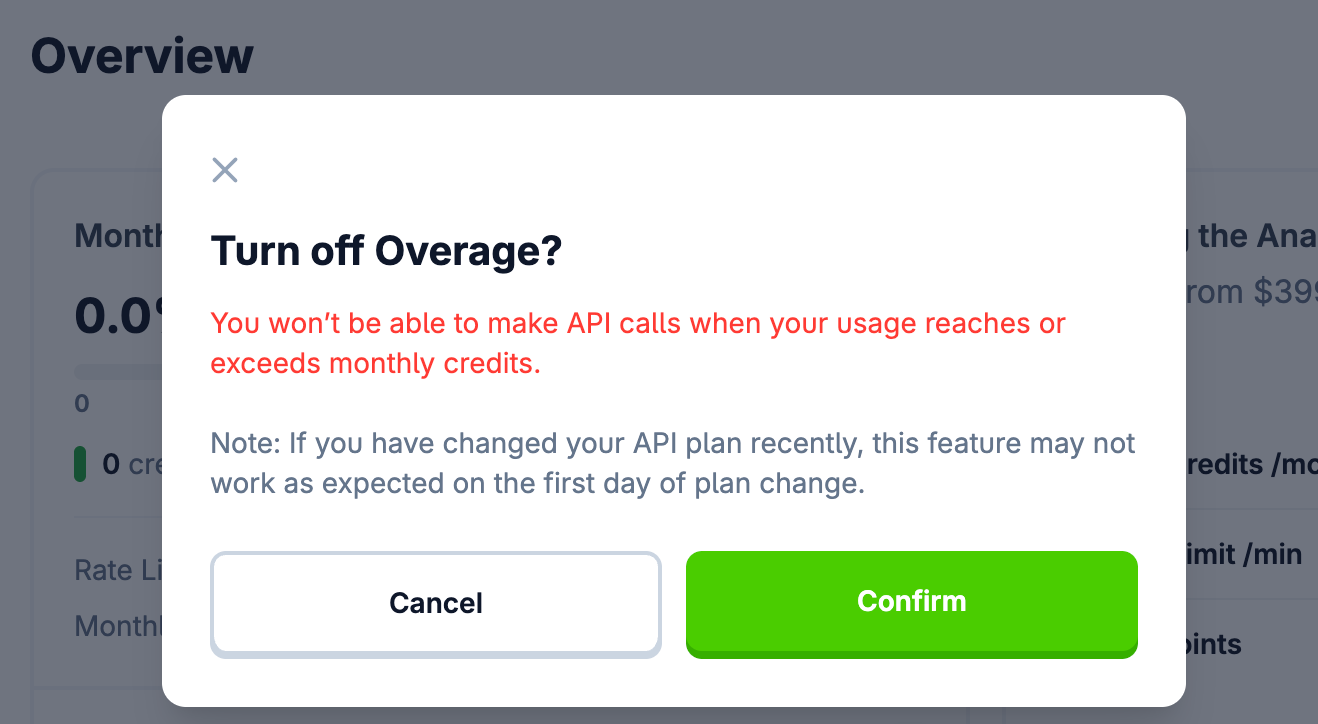
- Confirm Your Choice: The system will prompt you to confirm your decision to either enable or disable the feature. Accept the prompt to apply the changes.
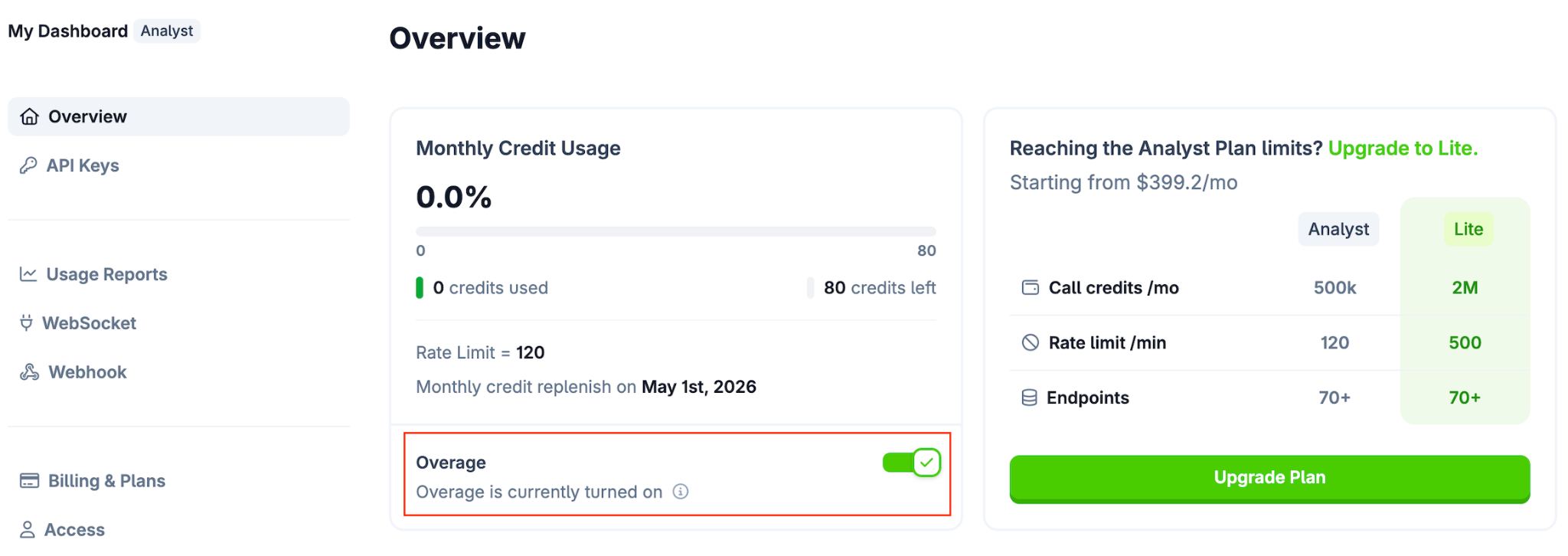
- Once enabled, the toggle will display as active (refer to the image below for what this should look like).
Need Help?
If you have additional questions or cannot find what you are looking for, please submit a ticket here to reach our support team.