How do I update token information on GeckoTerminal?
Last updated: October 2, 2026
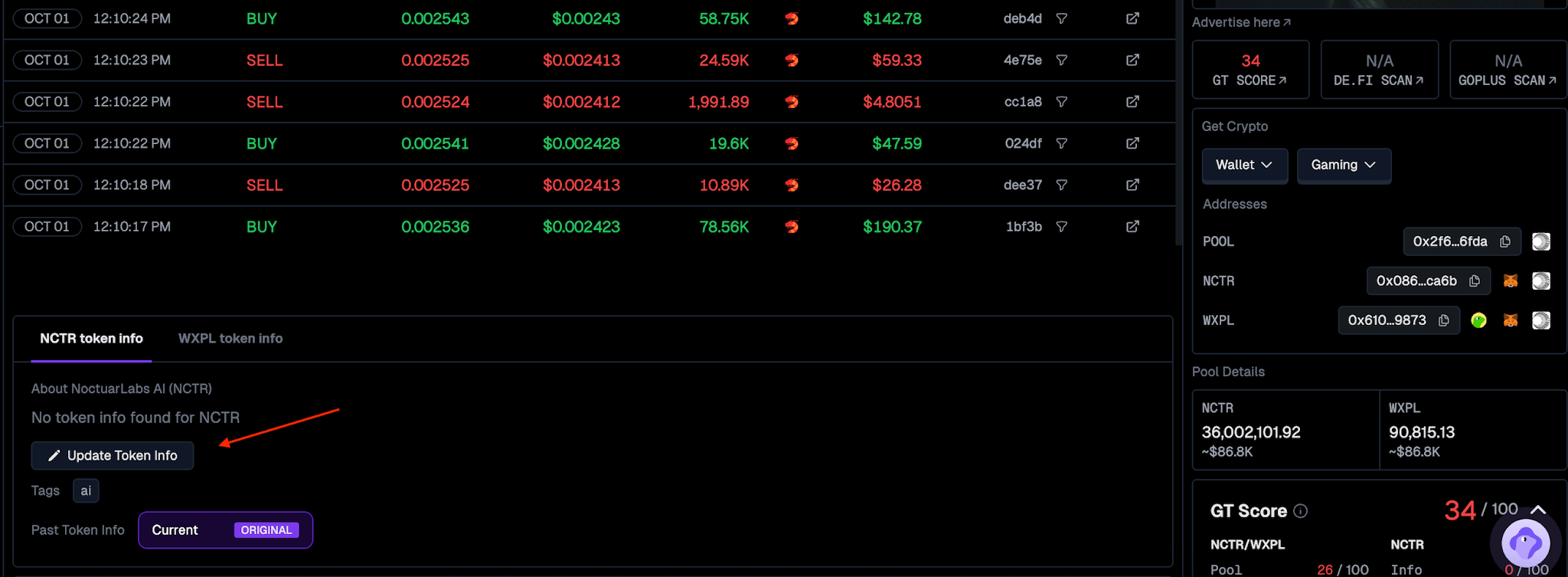
Navigate to your token's pools.
Go to the Token Info section.
Click "Update Token Info" and submit the information.
Please note that your request may be rejected if:
Insufficient information was provided to verify the legitimacy of the request
Incorrect information submitted
Information was submitted to the incorrect channel
Duplicated request
Alternatively, you may proceed to the landing page here and follow the respective instructions provided.
To have your submission reviewed and processed, GeckoTerminal Fast Pass is required. Fast Pass prioritises your request for review within 24 hours and comes with a free CoinGecko listing evaluation. For pricing and full details, see What is GeckoTerminal Fast Pass?.
The only official paid service for GeckoTerminal token info updates is GeckoTerminal Fast Pass, purchased through the official GeckoTerminal website. Any other individual or party offering paid update or guaranteed listing services is not associated with GeckoTerminal or CoinGecko.
Note: If the token is listed on CoinGecko, the token's info cannot be updated from GeckoTerminal. Instead, kindly apply here to update the information on CoinGecko.
Related Article: How do I update the name or ticker symbol of my token on GeckoTerminal?