How to Add or Update a Discord Channel Link
Last updated: October 2, 2026
To ensure a seamless and secure experience for our users, CoinGecko only accepts non-expiring Discord channel links (Vanity URLs).
We strictly enforce this policy to protect our community from the following issues associated with standard or private Discord invitation links:
- Security Risks: When a standard Discord invitation link expires, malicious actors can hijack the vanity URL to create fake servers that mimic legitimate projects. This can lure users into phishing scams or wallet drainers.
- User Inconvenience: Expired or invalid links lead to frustration and prevent genuine users from joining your community.
How to Get a Permanent Discord Link
Before submitting your request to CoinGecko, you must generate a permanent Vanity URL for your Discord server.
- For detailed instructions on how to create one, please refer to this guide: Discord Wiki: Server Vanity URLs.
How to Submit Your Link to CoinGecko
Scenario A: Adding a Discord Link for a New Coin Listing
If you are submitting a brand new token:
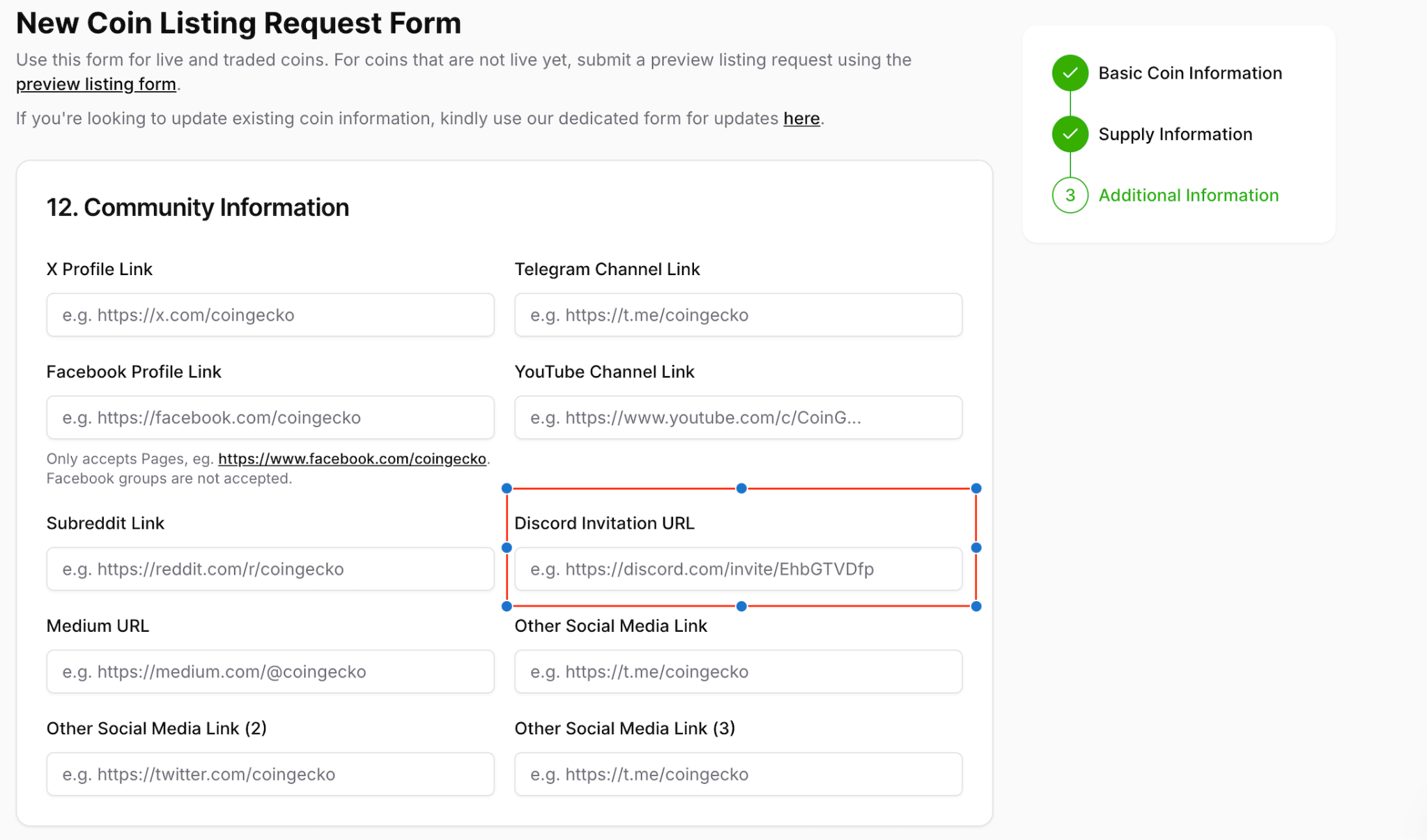
- Access the Self-Serve Request Form for New Coins.
- Navigate to the Community Information section.
- Paste your generated Vanity URL directly into the Discord Invitation URL field.
Scenario B: Updating a Discord Link for an Existing Token
If your token is already listed and you need to add or update the link:
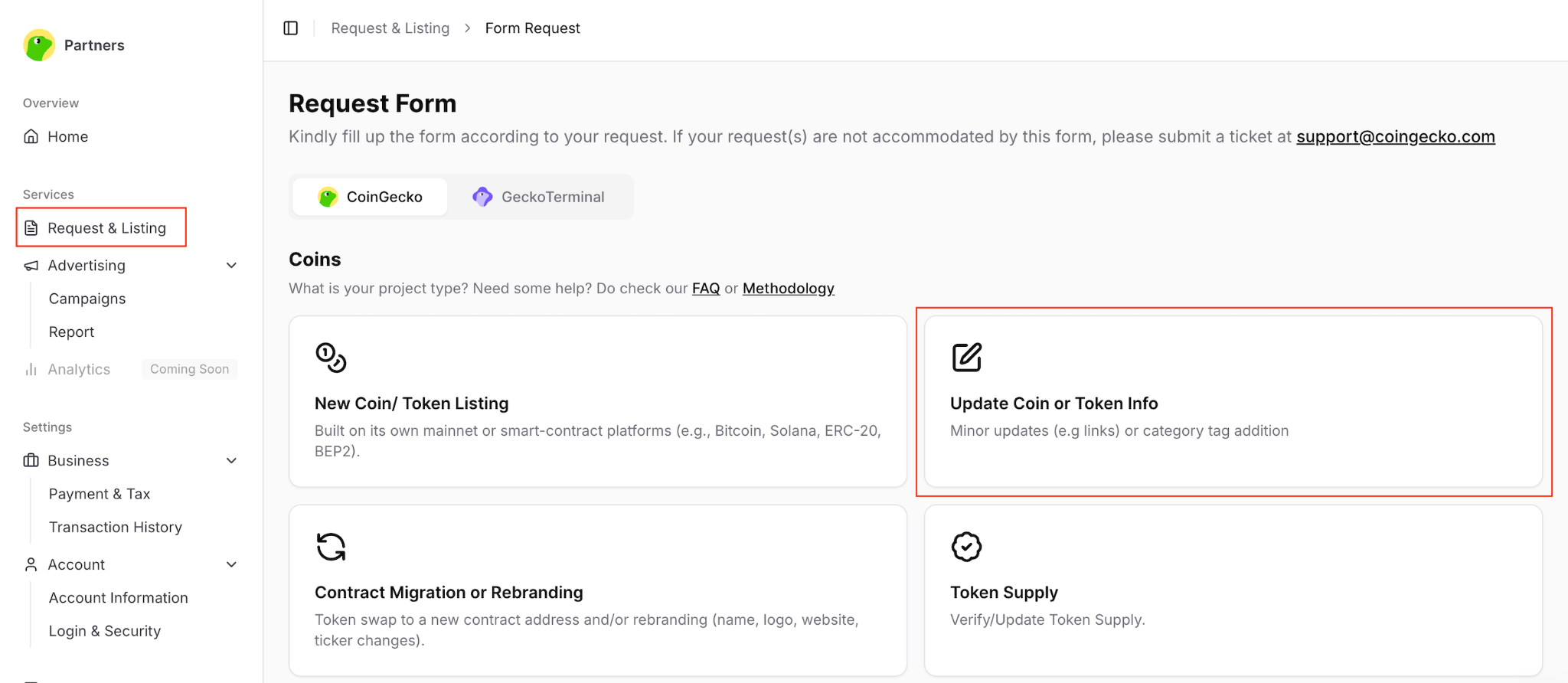
- Access the Self-Serve Request Form.
- Navigate to the Request & Listing tab and click on Update Coin or Token Info.
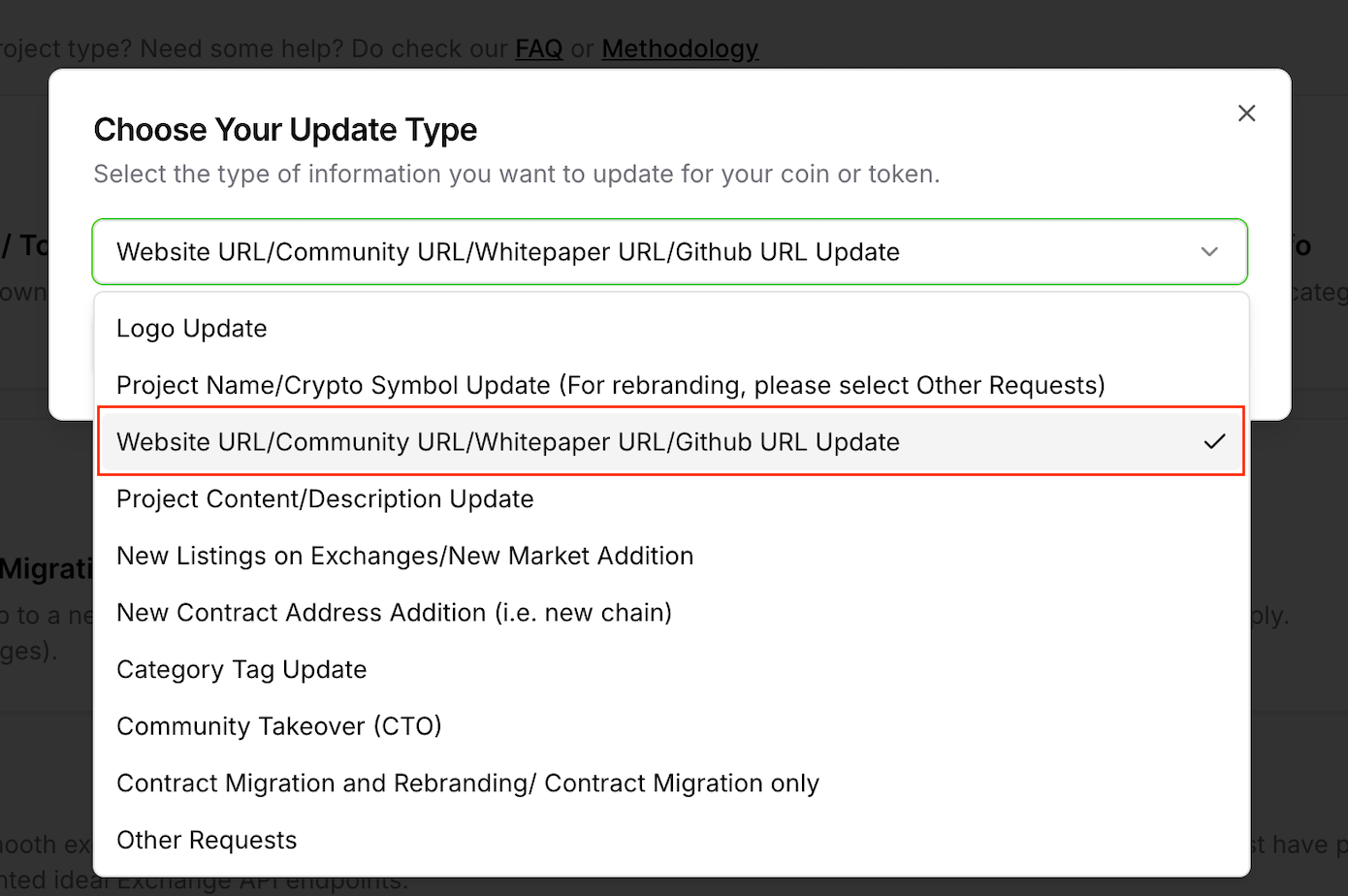
- Select Website URL/Community URL/Whitepaper URL/Github URL Update from the dropdown menu.
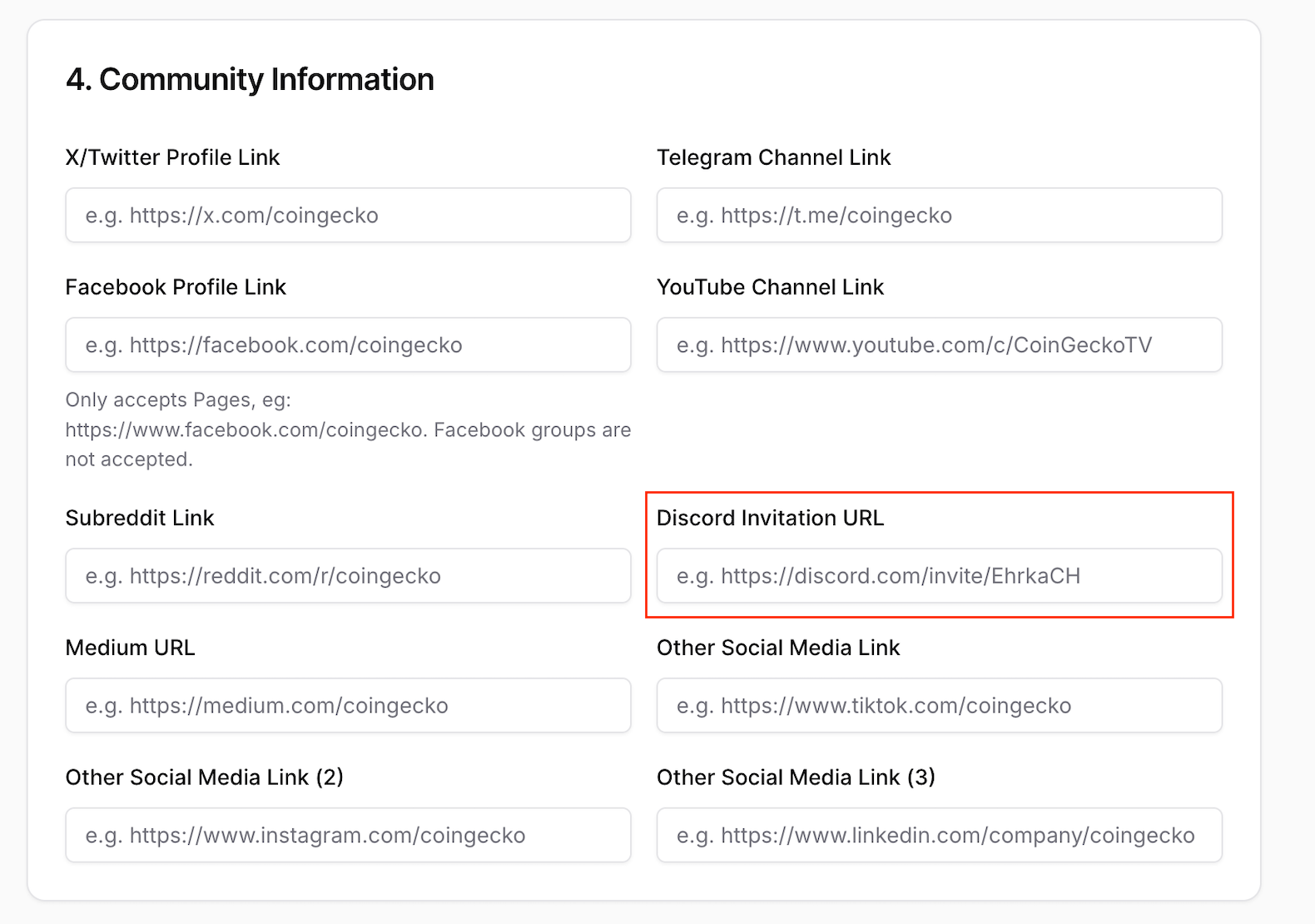
- Fill in the mandatory details. In the Community Information section, paste your permanent Discord Vanity URL into the Discord Invitation URL field.
Finalizing Your Submission
Once your link is in place, acknowledge the terms and conditions, complete the captcha, and click the Submit Request button.
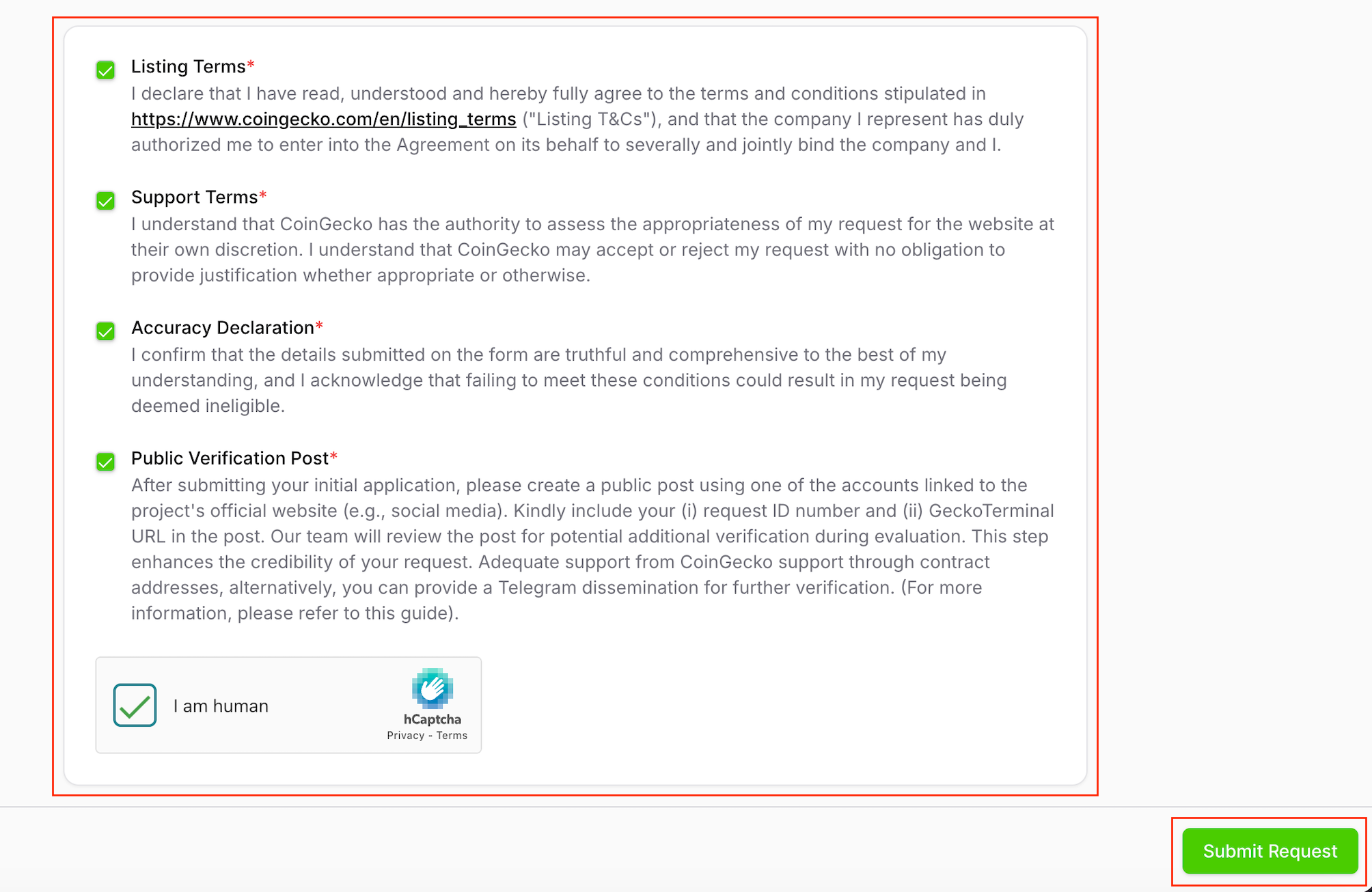
Please allow a few days for our operations team to process and review your request. You will be notified of the outcome via the email address provided in your submission.
Frequently Asked Questions (FAQs)
Why does CoinGecko require non-expiring Discord channel links?
Permanent Vanity URLs ensure users always access the intended official Discord server. This drastically lowers the chances of users encountering expired or hijacked links that malicious actors could exploit.
Can I use a regular Discord link if my server is not boosted to Level 3?
Unfortunately, no. For the safety of our users, only Discord Vanity URLs are accepted at this time.
Who should I contact if I face issues creating a Vanity URL?
If you encounter any technical issues while setting up your vanity link, please reach out directly to Discord’s support team for assistance.
Need Help?
If you have further questions or encounter issues, please submit a ticket at our Support Center.