Custom Rate Limits by API Key for Enterprise Clients
Last updated: October 2, 2026
We are excited to launch Custom Rate Limits by API Key for our Enterprise clients! This new feature allows larger organizations to set specific minute rate limits and monthly credit limits for individual API keys.
This helps your organization:
Prevent runaway usage from one team spiking the entire organization’s bill.
Enable precise resource allocation across different departments and projects.
How to Get Started
This feature is NOT enabled by default.
Enterprise clients must first contact our Customer Success (CS) team to enable this feature for their account.
Once enabled by our team, configuration is fully self-serve, and you can manage everything directly in your Developer Dashboard.
Configuring Key-Level Limits
Once enabled, you will see new rate limit controls when editing an API key in your Developer Dashboard.
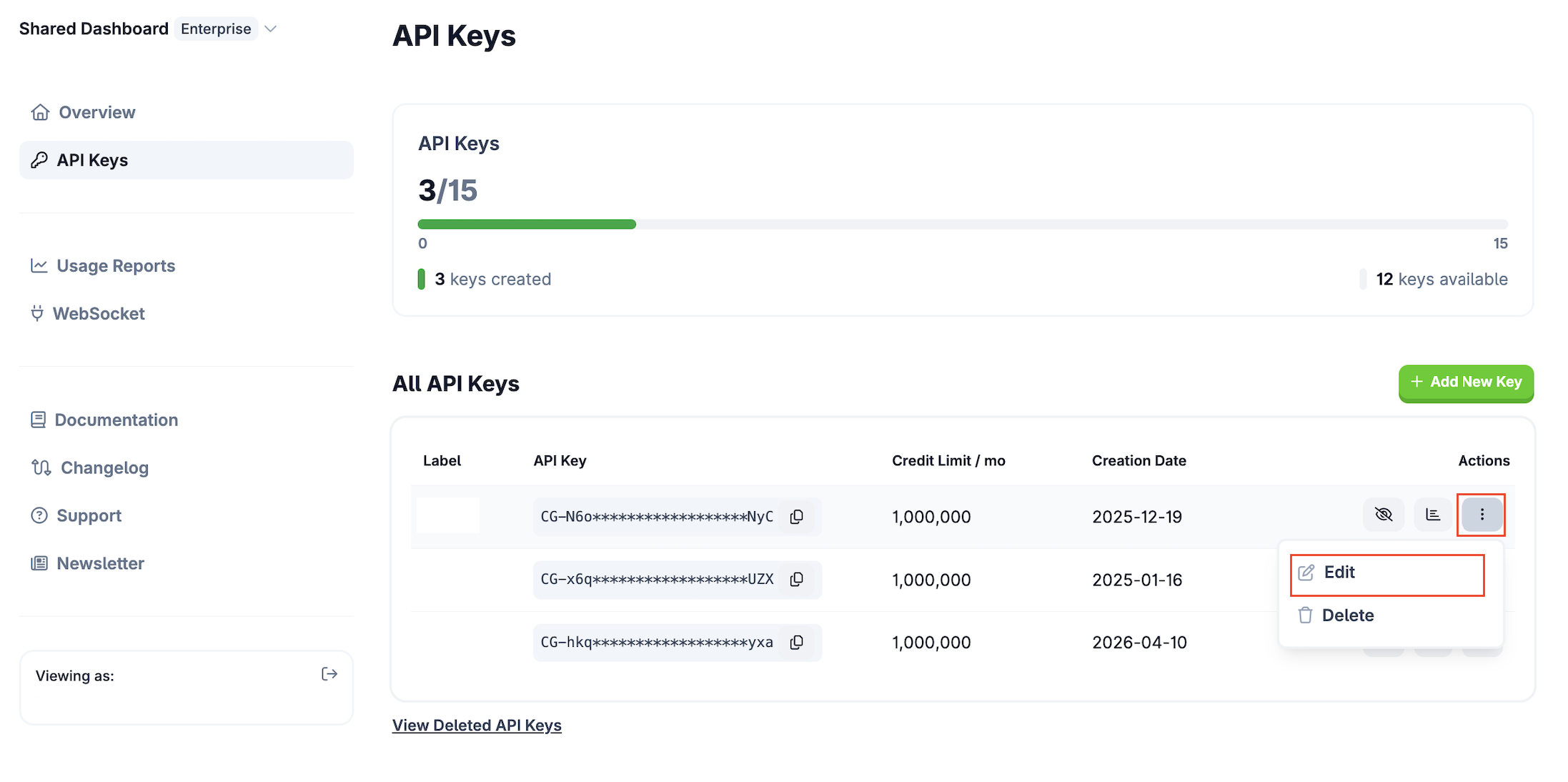
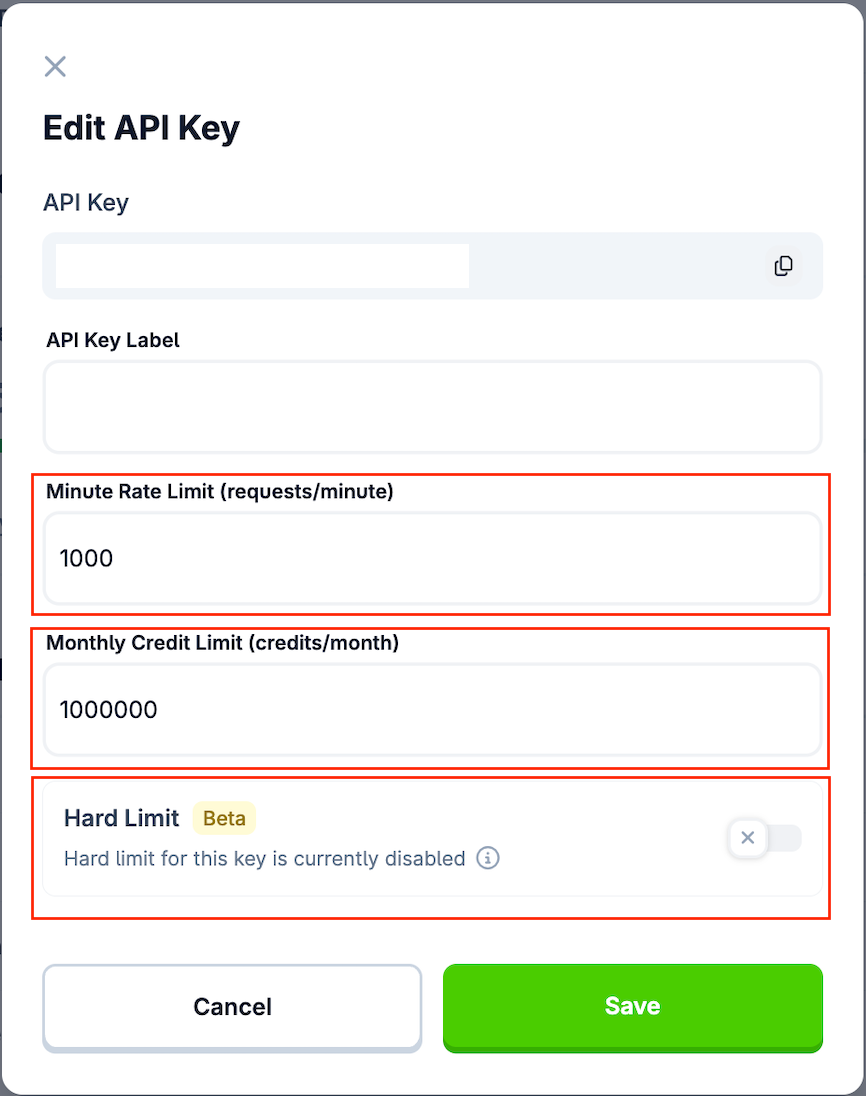
You can configure the following:
Minute Rate Limit: You can set and update the requests per minute allowed for each individual key.
Monthly Credit Limit: You can set and update the total credits a specific key can consume per month.
Hard Limit Toggle: You can toggle hard limits on or off per key.
Important Configuration Rules:
Key-level limits are always capped at your overall account-level limit.
If your account-level monthly limit is reduced (e.g., downgraded), the system will automatically lower any exceeding key-level limits to match the new account boundary.
Understanding Limit Precedence
Your account-level settings always act as the master control, while key-level settings provide additional, granular control within that boundary.
If your account hits its total monthly credit limit and the overage option is disabled, all API keys are blocked regardless of their individual settings.
If the account has remaining credits, the system then checks the specific key's limit and hard limit setting.
If a key reaches its specific limit and its hard limit is enabled, it will stop making calls.
Even if one key is blocked by a hard limit, the account can continue making calls using other active keys.
If a key's hard limit is disabled, it can continue to use credits beyond its set key limit, stopping only when the total account hits its maximum usage.
Example scenarios:
Account: 1M credits, overage disabled | Key A: 500k, hard limit disabled
Key A can use beyond 500k, but stops when the account hits 1M total usage
Account: 1M credits, overage disabled | Key A: 500k, hard limit enabled
Key A stops at 500k regardless of account usage
Account: 1M credits, overage enabled | Key A: 500k, hard limit enabled
Key A stops at 500k, but the account can keep making calls with other keys
Error Messages
We have updated our 429 error messages to help you easily identify which limit has been reached:
Account-level overage hit: "You have reached your account's monthly credit limit. The overage option is currently turned off. To continue making calls, please enable the overage option in the developer dashboard. Please note that overage fees will be charged."
Key-level hard limit hit: "This API key has reached its monthly credit limit. The hard limit is currently enabled for this key. To allow this key to continue using your account's remaining credit balance, please disable the hard limit for this key in the developer dashboard."
API Endpoint Updates
Paid API users can now retrieve the value of specific key-level limits programmatically via the /key endpoint. You will see two new fields in the response:
api_key_rate_limit_request_per_minute: The RPM limit configured for this specific key.
api_key_monthly_call_credit: The monthly credit limit configured for this specific key.
Need further assistance? If you have additional questions or cannot find what you are looking for, please submit a ticket here to reach our support team.