How to change the default currency?
Last updated: October 2, 2026
A short guide on how to set your preferred currency
For desktop users:
Near the top-right corner, there is a dropdown that allows you to set the currency of your choice, which includes a range of fiat or cryptocurrencies:

For mobile users:
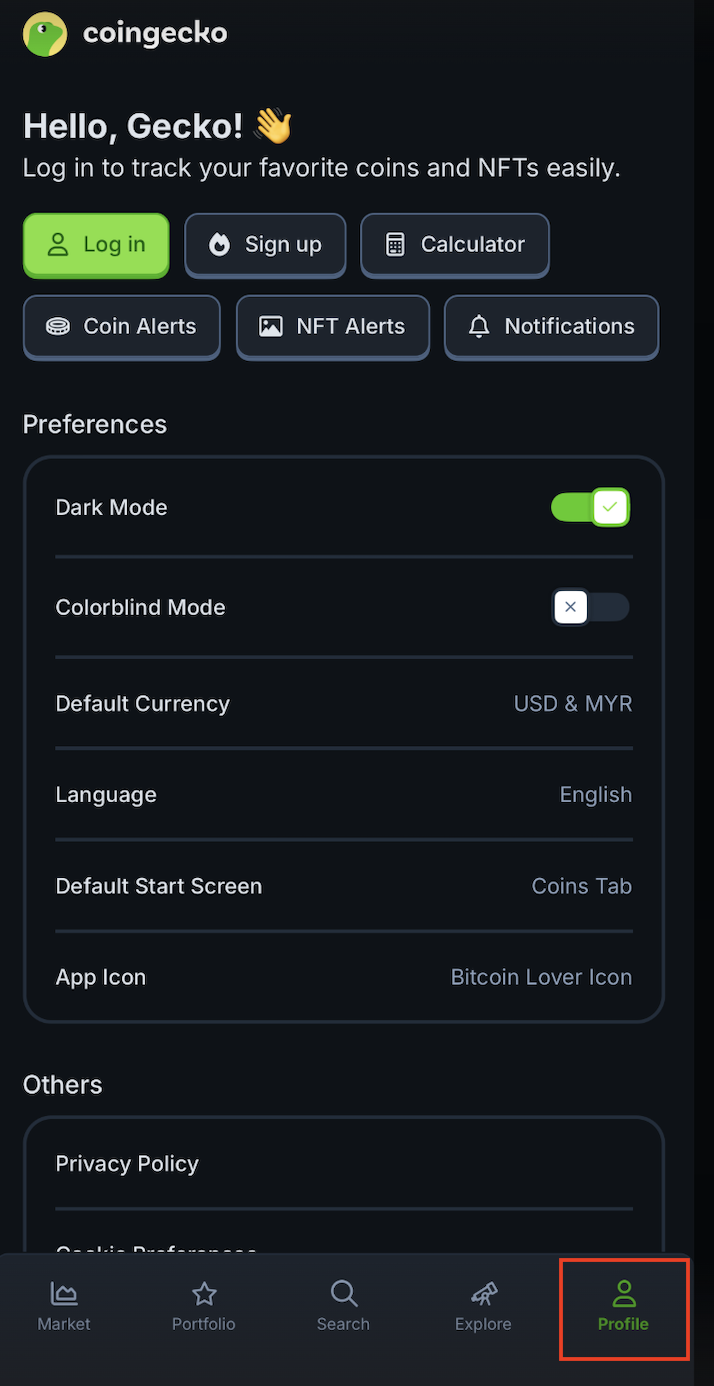
1. Click on "Profile" near the bottom right corner of the screen.
2. Then click on Default Currency. Users can then set up to 2 default currencies of their choice. In this example, we will select USD as the primary currency and MYR as the secondary currency.
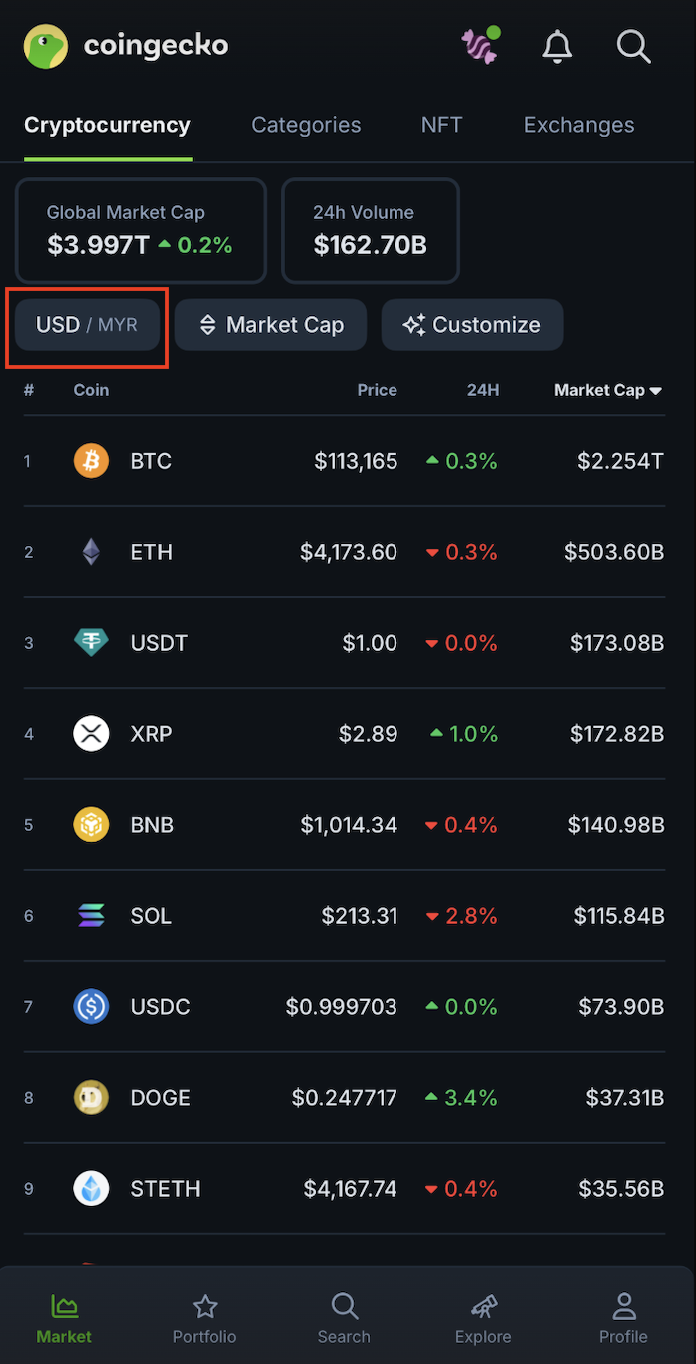
Now that you have set the 2 currencies of your choice, you can quickly switch between them by tapping on the currency icon in the toolbar at the top:
Additional Note:
- For web users, currency preferences are stored in cookies.
- For mobile users, language, currency, and default start screen preferences are stored in local storage.