Guide to the CoinGecko Self-Serve Request Form
Last updated: October 28, 2026
The CoinGecko Self-Serve Request Form, located on our Partners Platform, is your central hub for managing your project's data. Whether you are applying for a brand new listing or maintaining an existing project, this portal is designed to streamline your submissions.
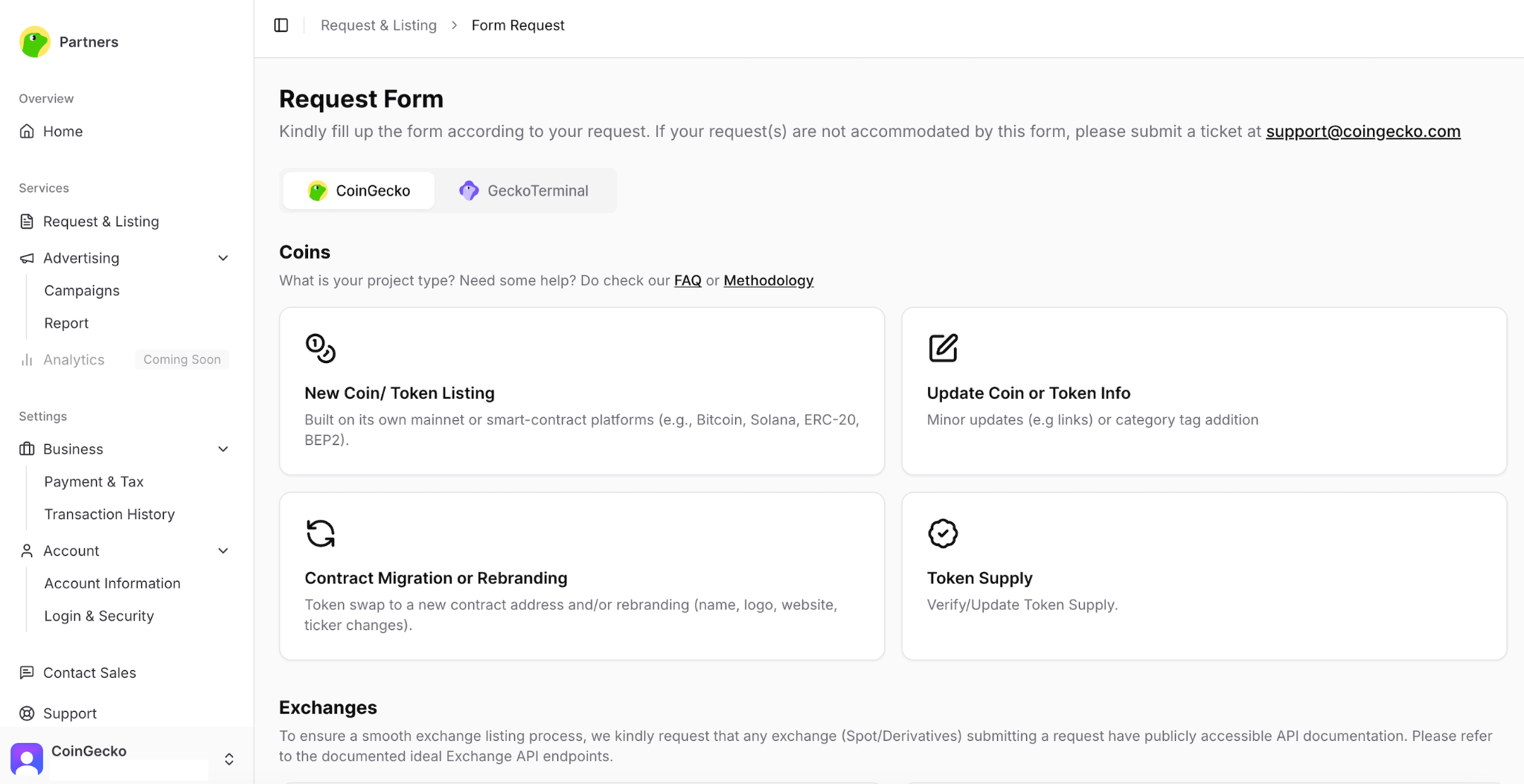
Supported Request Types
You can use the Self-Serve Request Form to submit the following applications, categorized by your project's current status:
For New Listings
New Listing Requests: Apply to list new coins, tokens, exchanges, and NFTs.
For Existing Projects
Update Coin Information: Modify details (e.g., social links, websites) for assets already listed on CoinGecko.
Contract Migration or Rebranding: Formally request a smart contract update or a project rebrand.
Verify or Update Token Supply: Submit new data for your circulating, total, or max supply.
Category or Tag Updates: Request relevant ecosystem or market category tags.
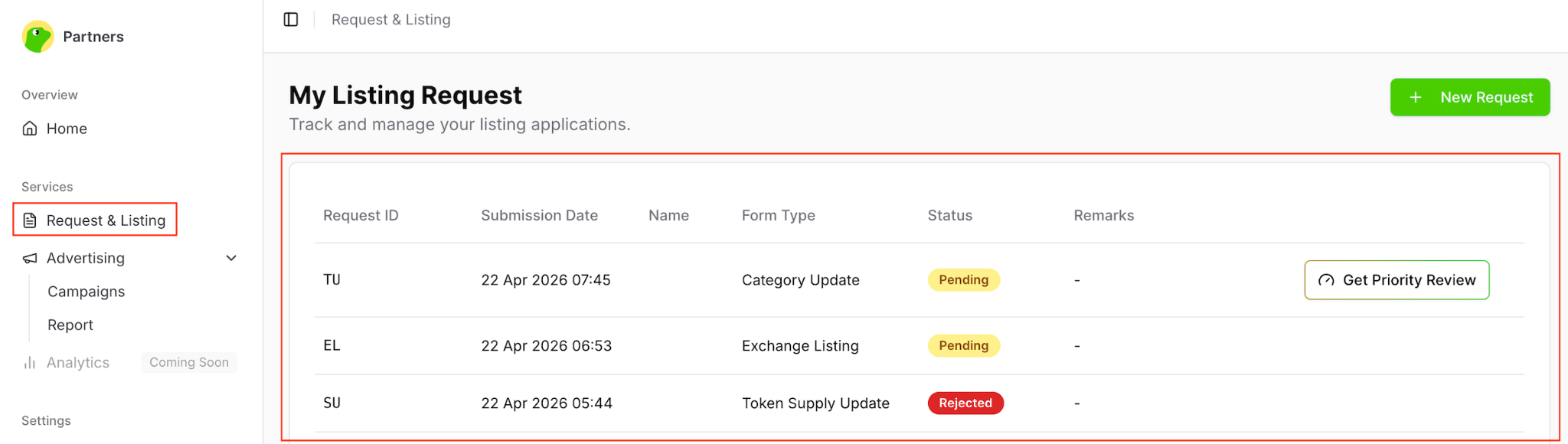
Tracking Your Application
Once your form is submitted, our operations team will review and respond accordingly. You can easily monitor your application's real-time progress by logging into the Partners Platform and clicking on the Request & Listing tab.
Helpful Resources & Support
To ensure your submissions are accurate and processed quickly, please refer to our step-by-step documentation:
Submission Guides: Review our list of articles here for detailed walkthroughs on how to properly fill out and submit each form.
Form Directory: 📍 View our complete [Support Directory - CoinGecko Request Forms] for a master list of all application links and guides.
Need Something Else?
If you have a specific request, technical issue, or inquiry that is not covered by the standard options in the Self-Serve Request Form, we are still here to help! Please reach out to our team directly by clicking the Submit a request button located at the top right of the Help Center page.