Quick Start on using CoinGecko Pro API
Last updated: October 27, 2026
After subscribing to CoinGecko API paid plans, you can follow this guide below to start using our Pro version API:
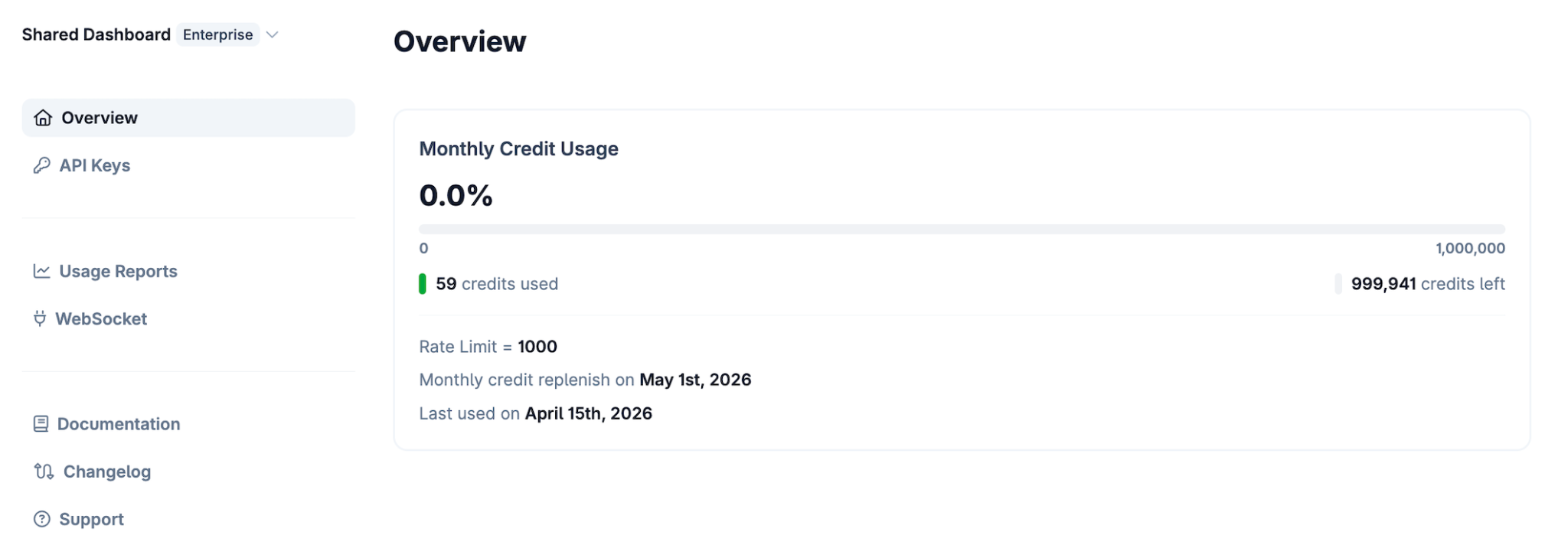
1. API Usage Report
Go to Developer's Dashboard
You can check your month-to-date API usage report and the timestamp when you last used your Pro API
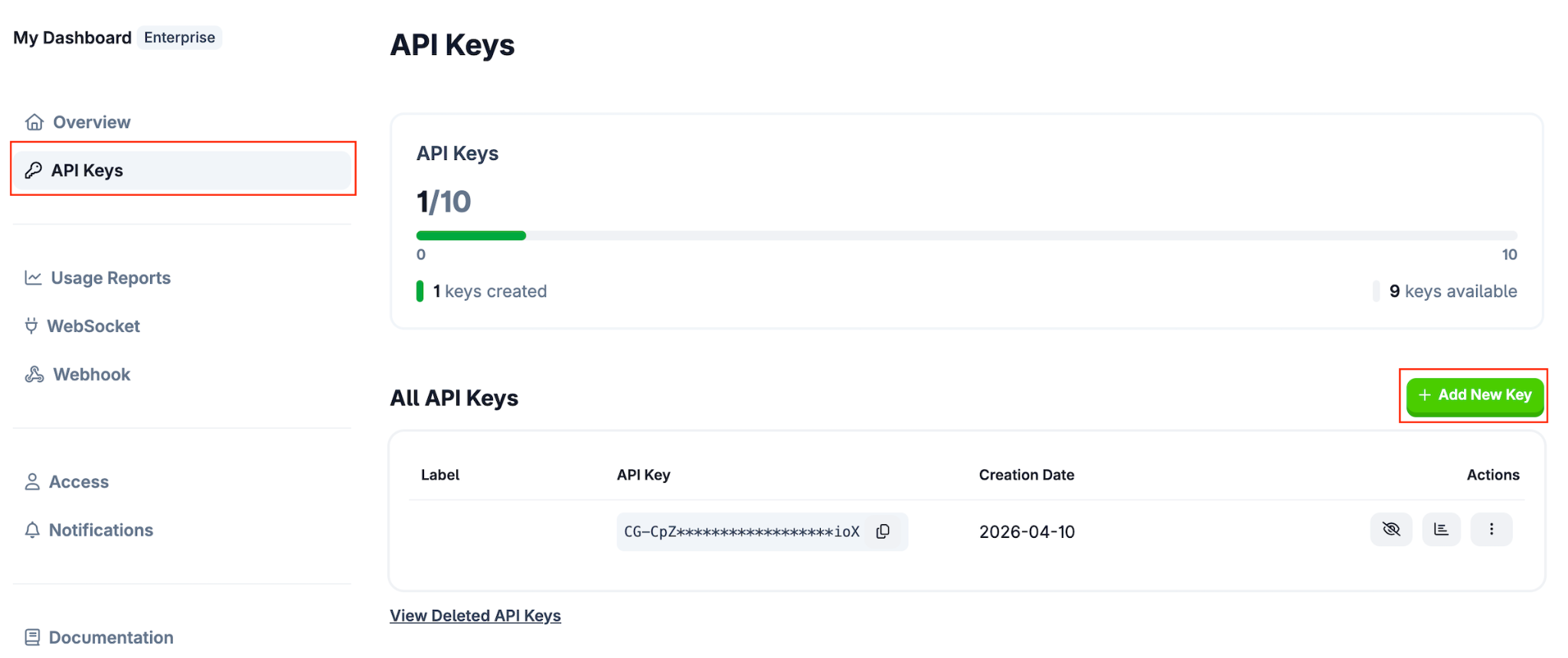
2. Create a new API Key
Go to Developer's Dashboard
Navigate to the API Keys tab.
Click on “Add New Key”, and a new API Key will be created
3. Making an API request
Root URL for PRO Api: https://pro-api.coingecko.com/api/v3
You will be using the newly created API Key as a query parameter (please refer to the request example below for better understanding)Request Example:
curl https://pro-api.coingecko.com/api/v3/ping?x_cg_pro_api_key=YOUR_API_KEYYou can check the list of all available endpoints here in our official documentation: https://docs.coingecko.com
Tips:
Remember to add &x_cg_pro_api_key= and replace YOUR_API_KEY with your own API Key.
Here's an example of calling Bitcoin's market data with your Pro API key: https://pro-api.coingecko.com/api/v3/coins/markets?vs_currency=usd&ids=bitcoin&x_cg_pro_api_key=YOUR_API_KEY
You can also supply your API key via a custom header named: x-cg-pro-api-key
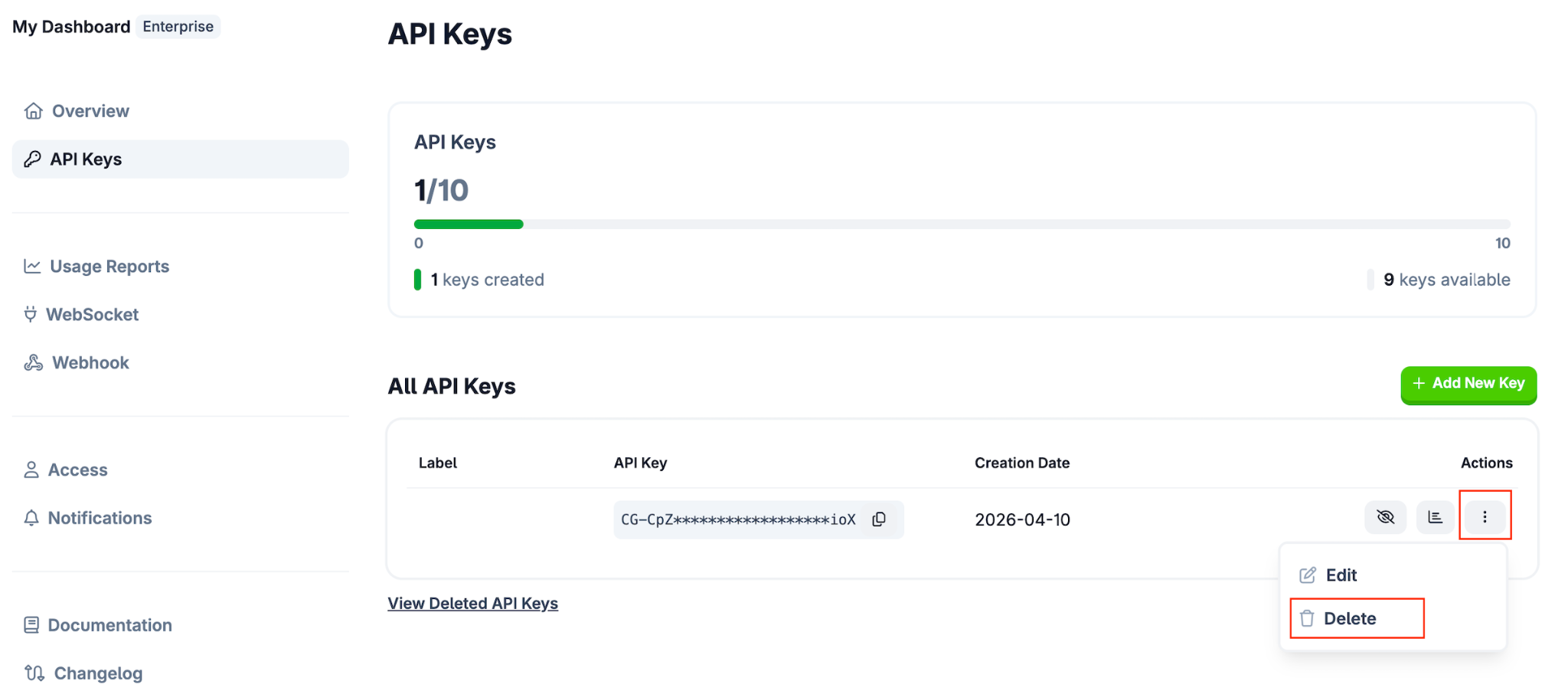
4. Editing or Deleting API Key
Navigate to the API Keys tab.
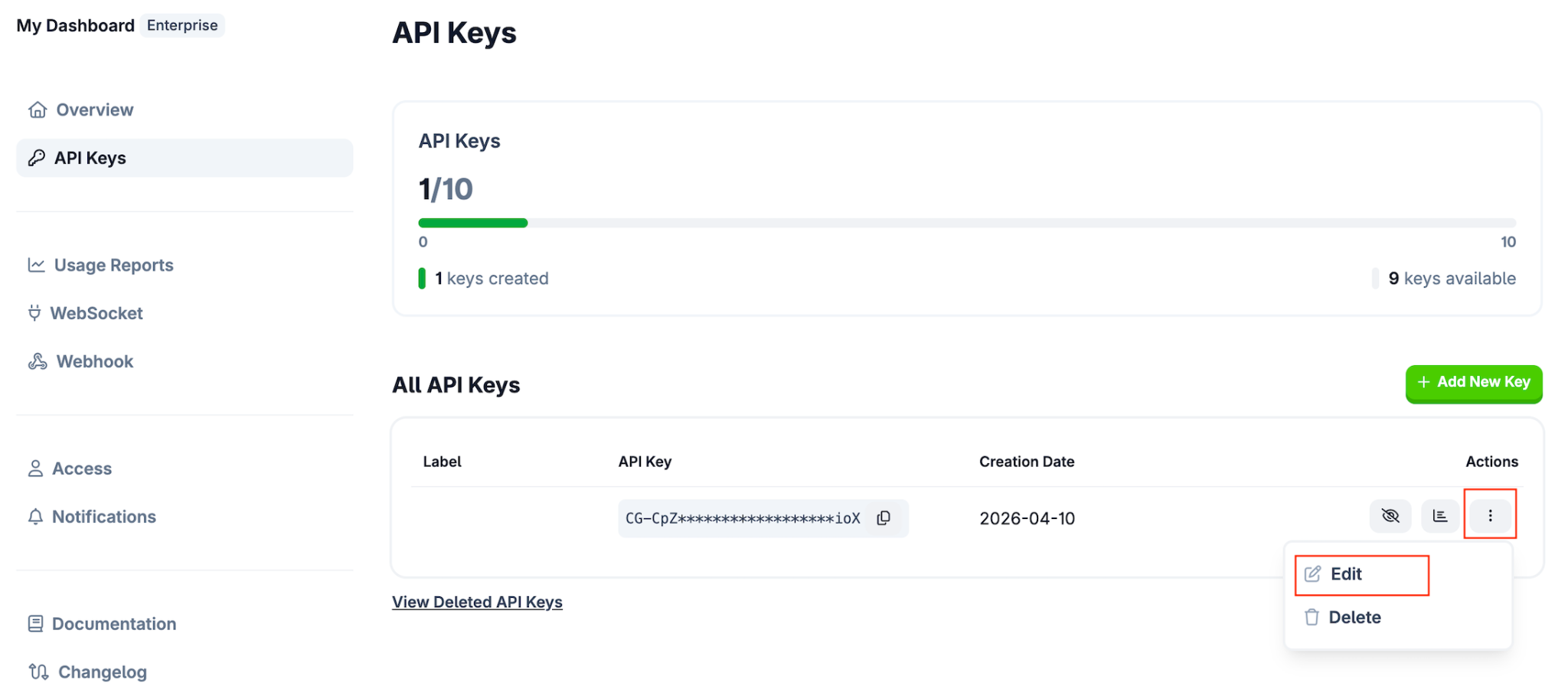
Click the 3 dots on a specific API Key
Click “Delete” to delete this API key
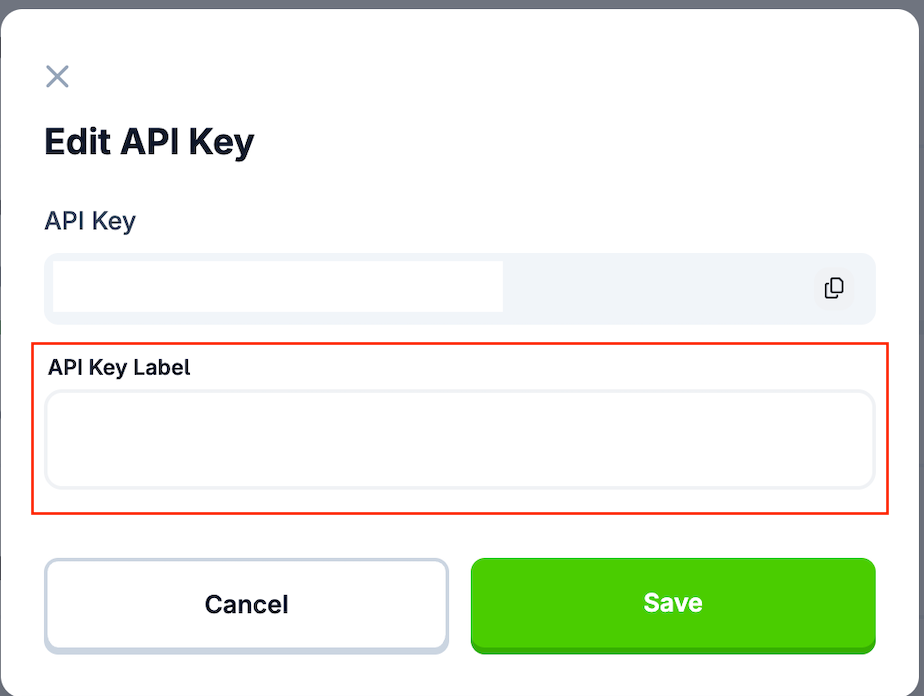
You can also click Edit, update the API Key Label, and click Save to confirm your update
Questions?
Please visit our help center for the full list of questions.
If you have any questions or concerns, please do not hesitate to submit a support ticket.