How to View and Download Past Invoices
Last updated: November 23, 2026
This guide provides step-by-step instructions on how to access and download your past Coingecko invoices for record-keeping. This includes invoices for both your regular plan renewals and any overage billing.
Viewing Your Invoices
To access your billing history, please follow these steps:
Log In: Log in to your Coingecko account.
Access the Dashboard: Go to your Developer’s Dashboard by visiting www.coingecko.com/en/developers/dashboard.
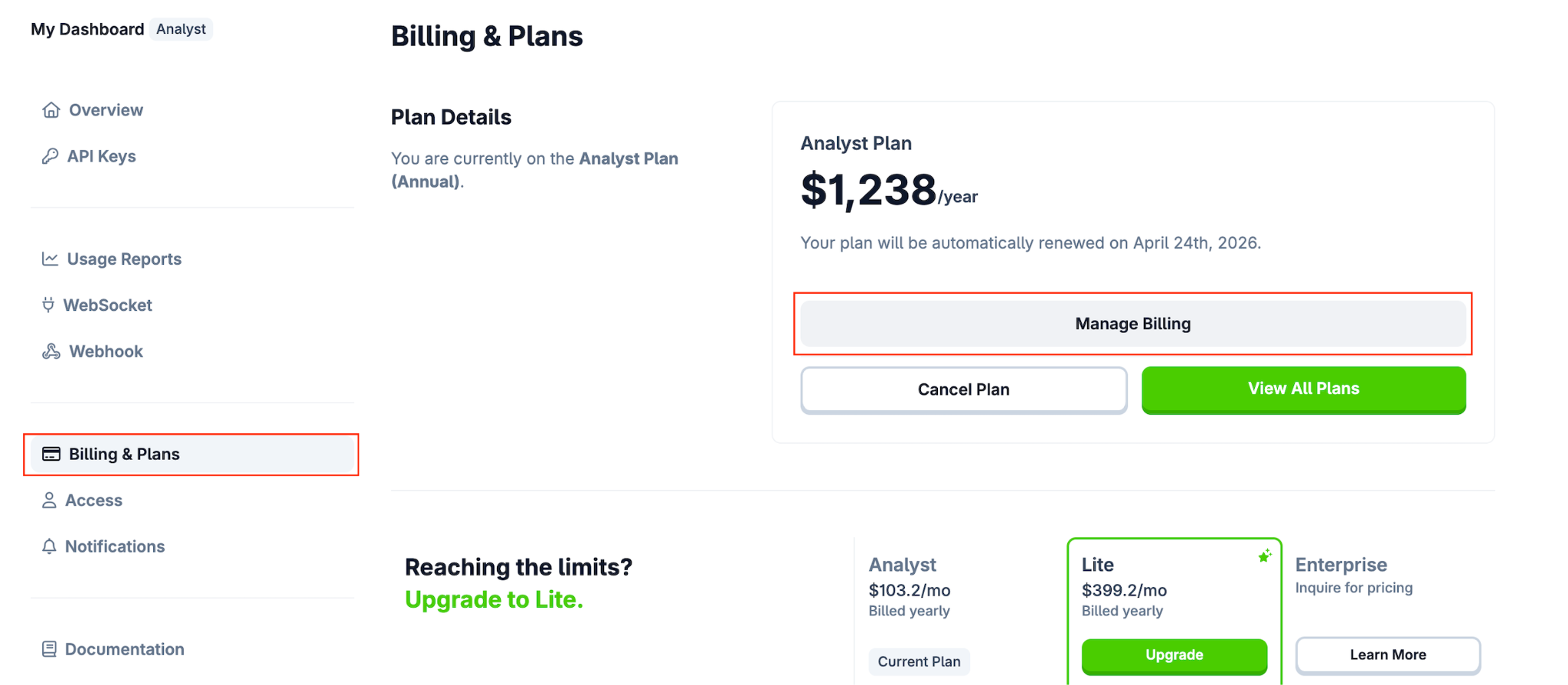
Navigate to Billing: Click on the Billing & Plans tab, then click the Manage Billing button.
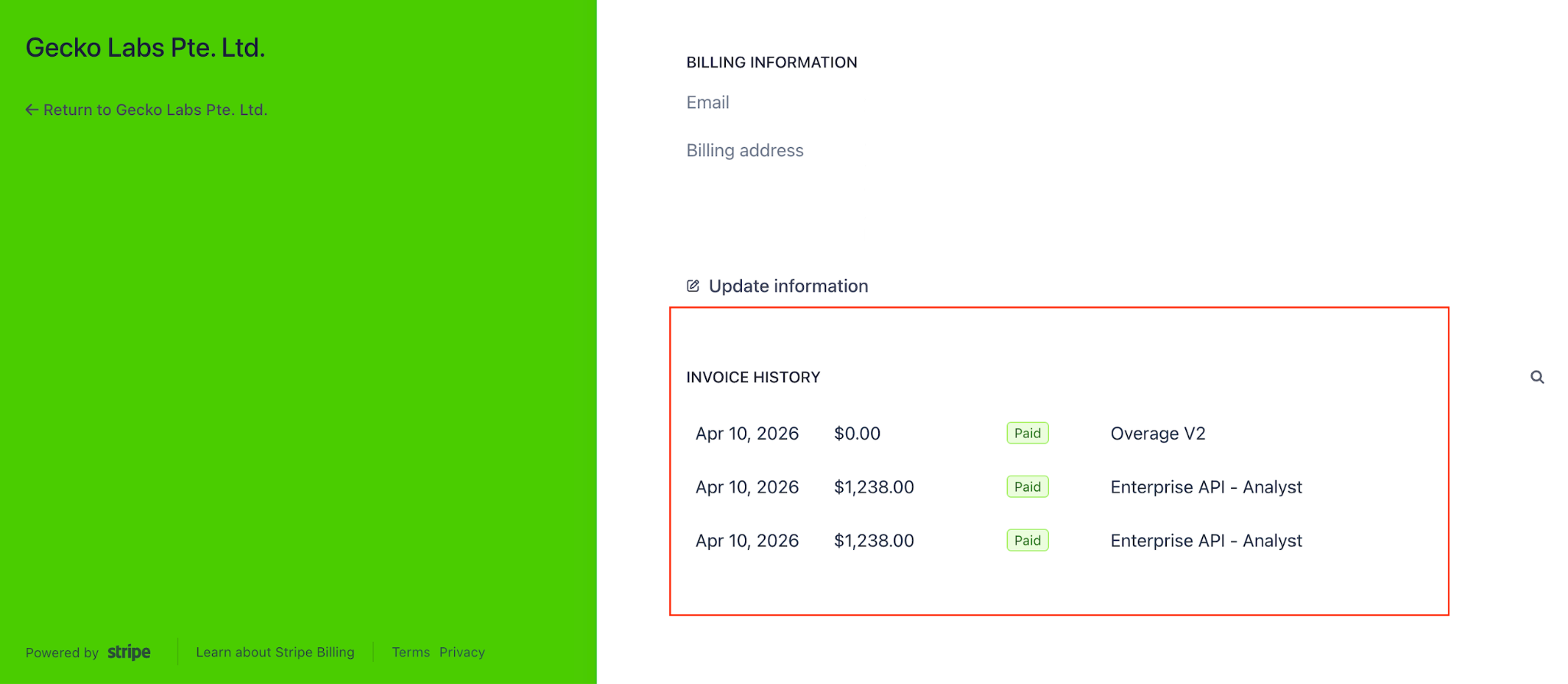
Download Invoices: You will be redirected to the Stripe billing portal. Here, you can find, view, and download all of your past invoices (including both renewal and overage billing).
Need Help?
If you have further questions or encounter issues, please submit a ticket at our Support Center.