Verification Guide for Listing/Update Requests on CoinGecko
Last updated: October 2, 2026
When you submit a listing or update request to CoinGecko, we take security and data integrity very seriously. To verify your request's legitimacy and safeguard our community against fraudulent contract addresses, you are required to complete a Public Verification Post. This ensures our team can independently confirm that the request is coming directly from the project's official owners.
Here is the step-by-step process for creating and sharing your verification post to successfully complete your submission.
Step 1: Create a Public Verification Post
Before you start filling out your Listing (CL) or Update (CU) request form, you must publish a public post using an official social media account linked directly to your project’s website (such as X, Facebook, or Instagram).
Your post must include the following:
- Project Identification: A short statement explicitly confirming your intent to submit a request to CoinGecko.
- GeckoTerminal URL: A link to your project on GeckoTerminal (if your project is listed there).
- Telegram @username (Optional): A Telegram handle so our team can easily reach out for follow-up verification if needed.
Example Post:
🚀 Preparing to submit our request to CoinGecko for [Your Project Name]!
🔗 GeckoTerminal URL: The link to your project on GeckoTerminal (if your project is listed there).
Telegram contact: @YourUsername
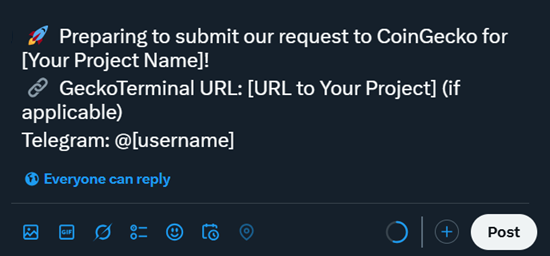
Once your post is published, copy the URL link to this post, as you will need to provide it in the next step.
Step 2: Submit Your CoinGecko Request
Now, proceed to the Partners Platform and fill out your official Request Form.
During the submission process, you must attach the link to the public post you just created so our team can verify it was made by an official project account.
- Paste your link into the designated Public Verification Link field.
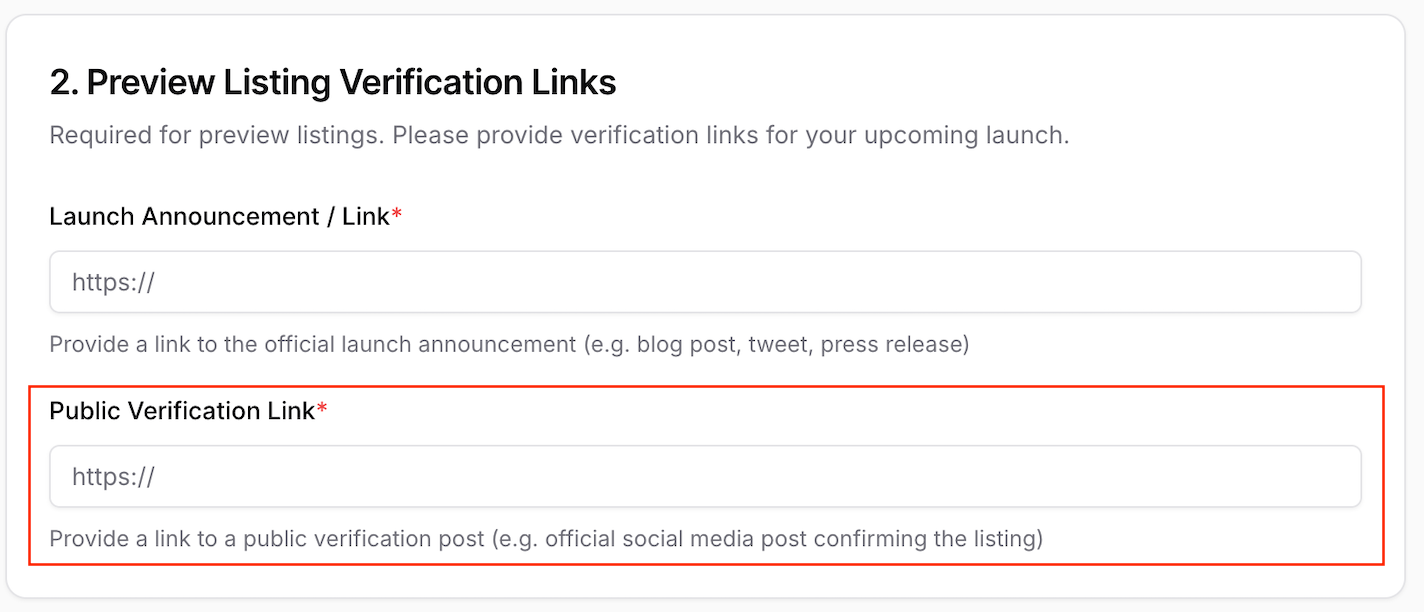
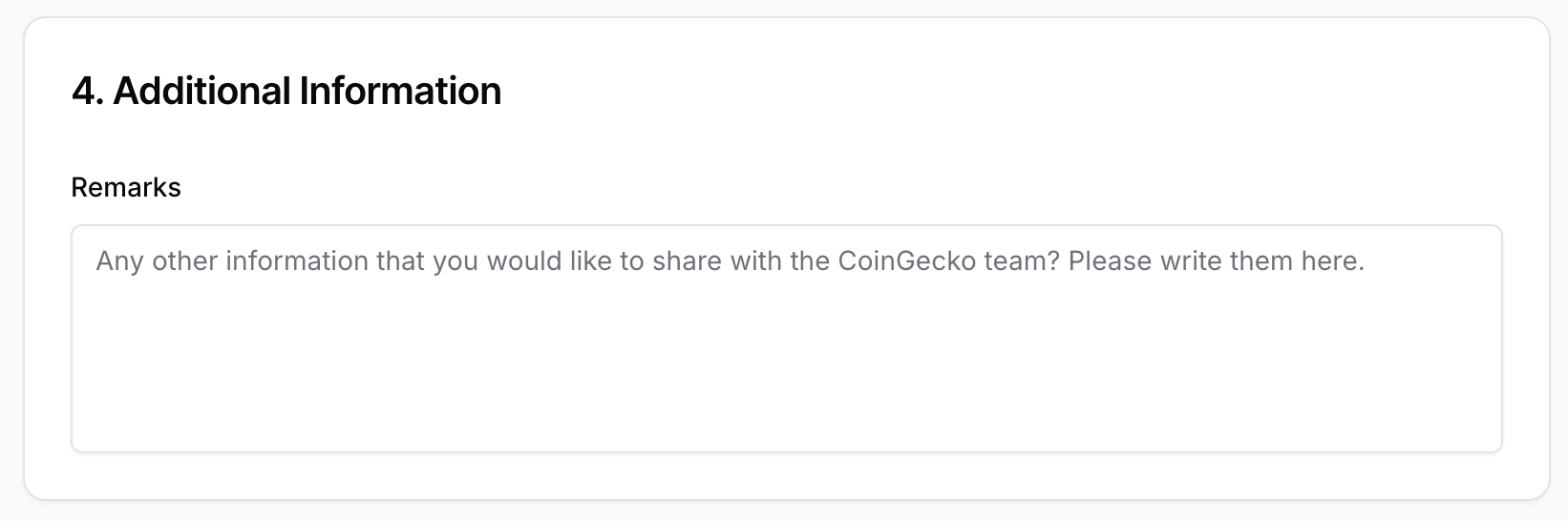
- Note: If you do not see a specific field for this, simply paste the link into the Additional Information section located at the bottom of the form.
Once you submit the form, you will automatically receive a confirmation email containing a unique Request ID (e.g., CLXXXXX or CUXXXXX).
Step 3: Reply to Your Original Post
Once you have received your unique Request ID from your confirmation email, return to your original public social media post and reply to it with your ID.
This final step is crucial, as it allows our team to conclusively confirm both the authenticity of the form request and your ownership of the project's social account.
Example Reply: 🎫 Request ID: CLXXXXX
Step 4: Review and Verification
Once all steps are complete, our operations team will review your application. We will specifically check:
- The details submitted in your form.
- The Public Verification Post link.
- The reply contains the exact Request ID.
- The accuracy of any contract or project data (including your GeckoTerminal URL, if provided).
Reminder: Please ensure that your official website and documentation reflect the same information included in your CoinGecko request.
Need Help?
Completing the Public Verification Post is a vital step in enhancing the credibility of your request and contributing to a safer environment for our users. If you have any questions or need assistance with this process, please don't hesitate to reach out by submitting a ticket to our Support Center.