How to Subscribe to CoinGecko Premium
Last updated: October 2, 2026
Ready to upgrade your crypto research experience? Subscribing to CoinGecko Premium is quick and easy. You can choose between a Monthly or Yearly billing cycle, and if you are a first-time user, you are automatically eligible for a 14-day free trial!
Step-by-Step Subscription Guide
To start your Premium subscription or claim your free trial, please follow these steps:
Visit the Pricing Page: Head over to our Premium Pricing page.
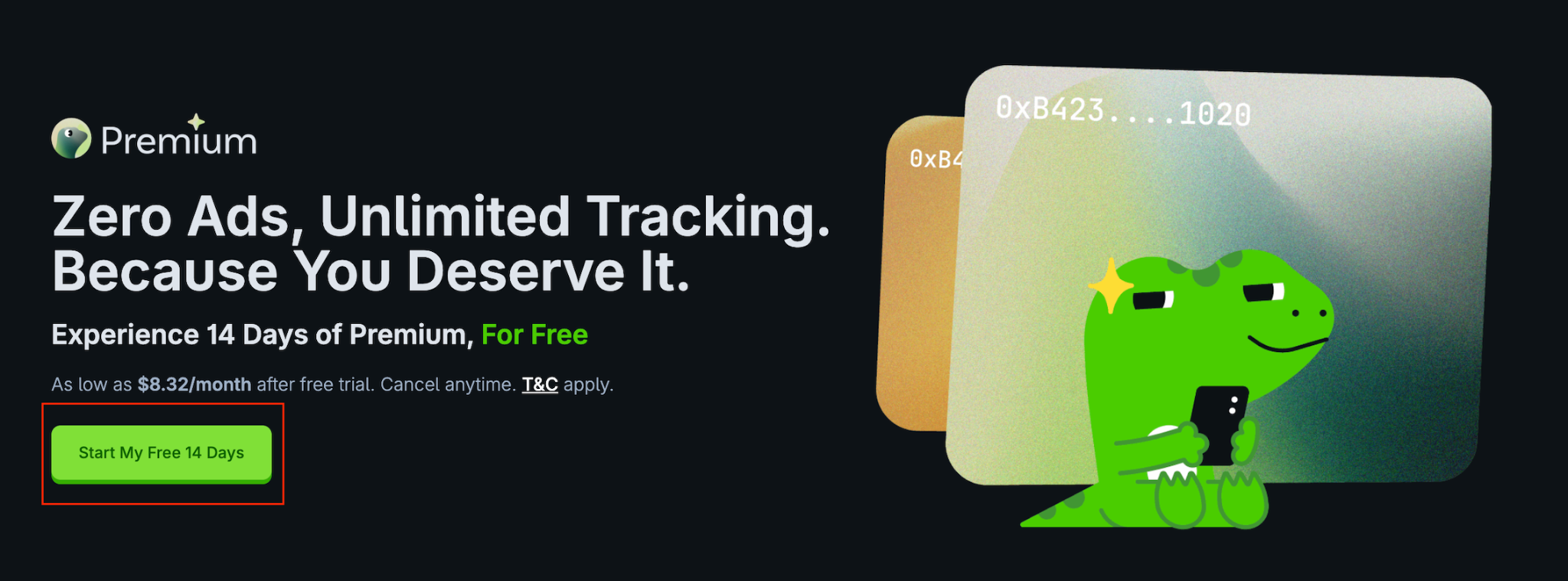
Start Your Trial: Click on the Start My Free 14 Days button.
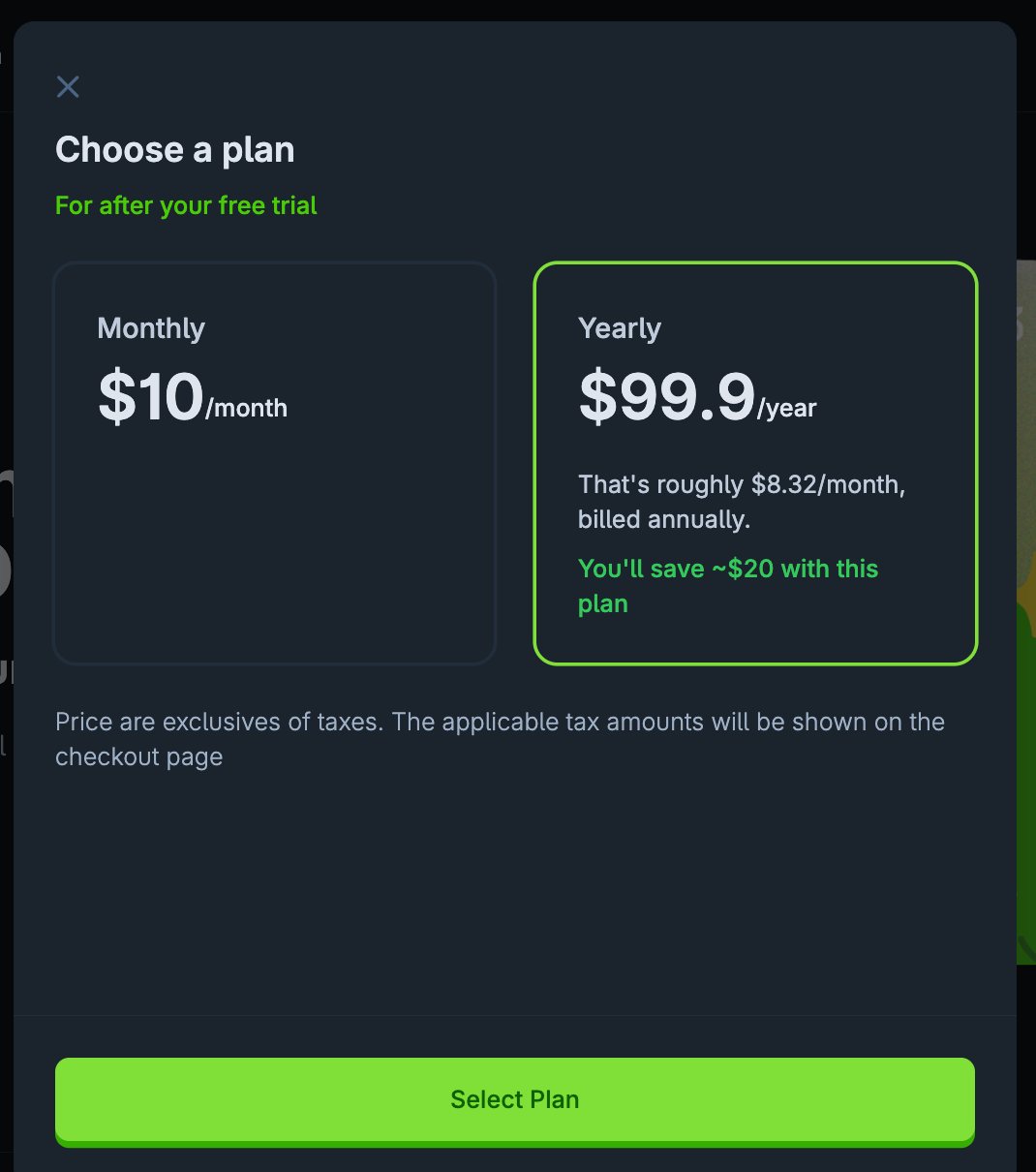
Select Your Plan: Choose between the Monthly or Yearly subscription options. (Pro tip: Selecting the Yearly subscription gives you an automatic 20% discount!)
Enter Billing Details: Fill out your standard billing information, then click Continue to payment.
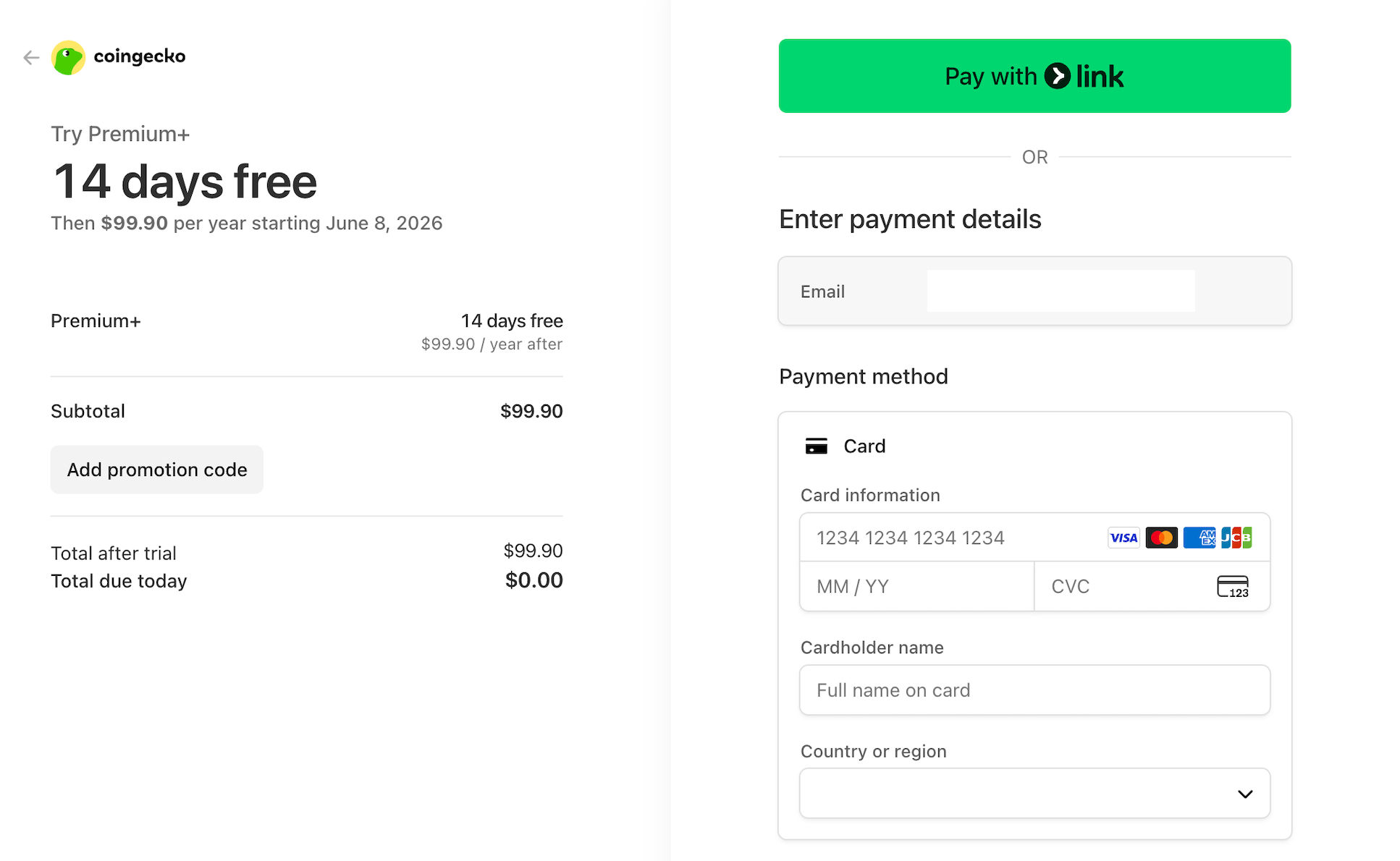
Complete Payment: Enter your credit card details, carefully review your final order summary, and submit the payment to instantly activate your Premium account.
CoinGecko Premium Benefits
Once you are subscribed, you will immediately unlock a suite of exclusive features designed to give you an edge in the market:
Ad-Free Browsing: Enjoy distraction-free research.
Daily Candy Boost: Earn a 1.2× multiplier on your CoinGecko Candy collection every single day.
Advanced Wallet Tracking: Track up to 100 on-chain wallets across multiple blockchains directly in your portfolio.
Premium Newsletter: Receive exclusive market insights, emerging narratives, and trend analysis delivered straight to your inbox.
Free Educational E-Books: Gain complimentary access to our highly acclaimed How to Bitcoin and How to NFT e-books.
Important Note on Cancellations
You have full control over your account. You can cancel your subscription at any time before your next billing cycle to avoid unwanted charges. For step-by-step instructions on managing your billing, please refer to our cancellation guide [How to Cancel Your CoinGecko Premium Subscription].
Need Help?
If you have further questions or encounter issues, please submit a ticket at our Support Center.