Stay Ahead of Price Moves with Auto Price Alerts 🚀
Last updated: October 2, 2026
What Are Auto Price Alerts?
Ever searched for a coin, got curious… and then totally forgot about it?
We’ve all been there.
That’s why we built Auto Price Alerts - a smart, effortless way to keep you updated on coins you’re interested in, without needing to set up anything manually.
Whenever you search and select search results for a coin in the CoinGecko App, we’ll automatically set up a price alert in the background (if you’ve got alerts enabled). You’ll get a push notification when the coin makes a major move, so you’re always one step ahead.
With Auto Price Alerts, you can:
✅ Stay in the loop on coins you’ve recently searched
✅ Be alerted to big price swings without setting manual alerts
✅ Re-engage with coins you forgot to track
Auto alerts expire after 45 days - so you only get updates when they’re relevant.
How Does It Work?
If you meet the following conditions, you’re in:
🔍 Search for a coin (e.g., Bitcoin, Solana, Pepe…)
👆Tap on the search result
📱 Have notifications enabled at the device level
🔔 Auto Price Alerts (APA) are turned on in your Notification Settings (they are by default!)
We’ll automatically subscribe you to alerts for that coin, no setup required.
Smart & Respectful: No Duplicates
Already tracking the coin via Price Movement Alerts (PMA)?
Don’t worry - we’ll never double alert you. If both Auto Price Alerts and PMA are active for the same coin, you’ll only get one notification. PMA always takes priority.
You’re in Control
1. Want to stop all Auto Price Alerts?
Go to Settings → Notification Center
Toggle off “Auto Price Alerts” - this unsubscribes you from all Auto Price Alerts and stops future ones.
2. Want to stop alerts for just one coin?
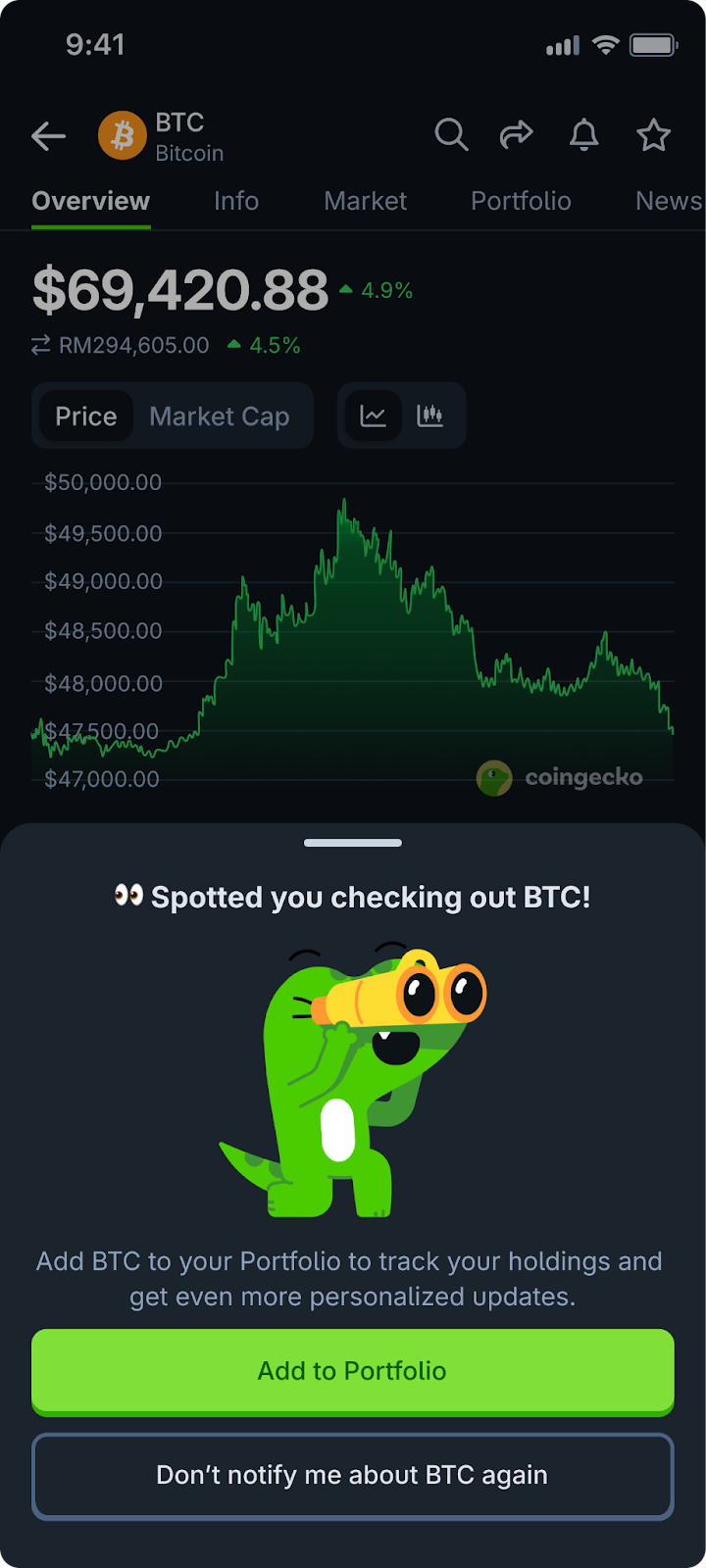
Tap “Don’t remind me again” on the bottom sheet after opening a coin alert.
This will only stop alerts for that specific coin; you’ll continue getting Auto Price Alerts for others.
💡 Coming Soon: We’re updating this text to say “Don’t notify me about [BTC]” so it’s extra clear that it’s a coin-specific opt-out.
Frequently Asked: “What If…”
-
What happens after 45 days?
Auto Price Alerts subscriptions expire. If you search for the coin again, we’ll resubscribe you.
-
What if I already have a PMA set for a coin?
You won’t get Auto Price Alerts; PMA takes over.
-
What if I disable notifications on my phone?
You’ll be unsubscribed from Auto Price Alerts. When you re-enable notifications, Auto Price Alerts remains off until you toggle it on again.
-
What if I search for coins on the web?
Auto Price Alerts will still work - alerts will be delivered to your mobile app if you’re logged in.
Bonus: Preview Coin Support
Even if a coin is still in “preview” mode (i.e., no price data yet), you can still be enrolled in Auto Price Alerts.
Once price data becomes available, you’ll start receiving alerts.