How to Find Token Decimals Using a Blockchain Explorer
Last updated: October 2, 2026
When submitting a token listing request on CoinGecko (see [How to List a New Cryptocurrency on CoinGecko]), you are required to provide your token's decimal count. This information is crucial because it tells our system how to accurately read and display your token's supply and price data.
Fortunately, this number is publicly available and easy to find using your network's blockchain explorer.
Step-by-Step Guide
Here is how to find your token's decimals, using the Ethereum mainnet as an example:
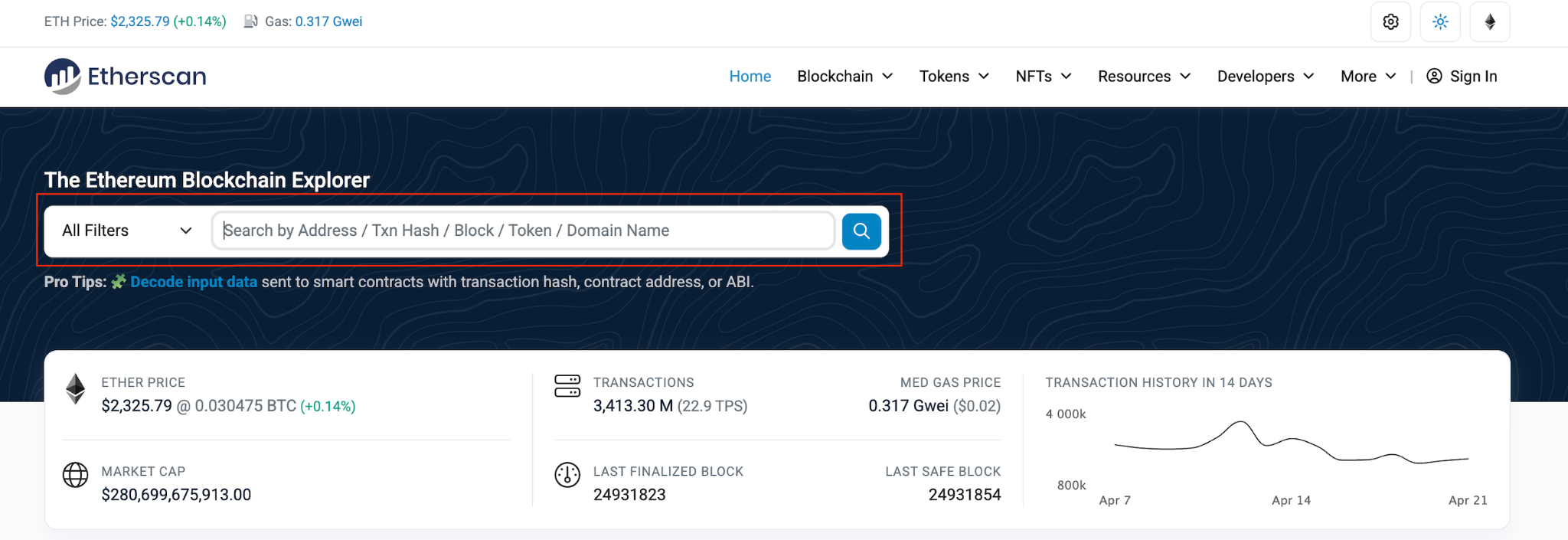
- Visit the Explorer: Go to the official blockchain explorer for your token's network. For Ethereum, this is Etherscan.
- Search Your Contract: Paste your token's exact smart contract address into the explorer's search bar and hit enter.
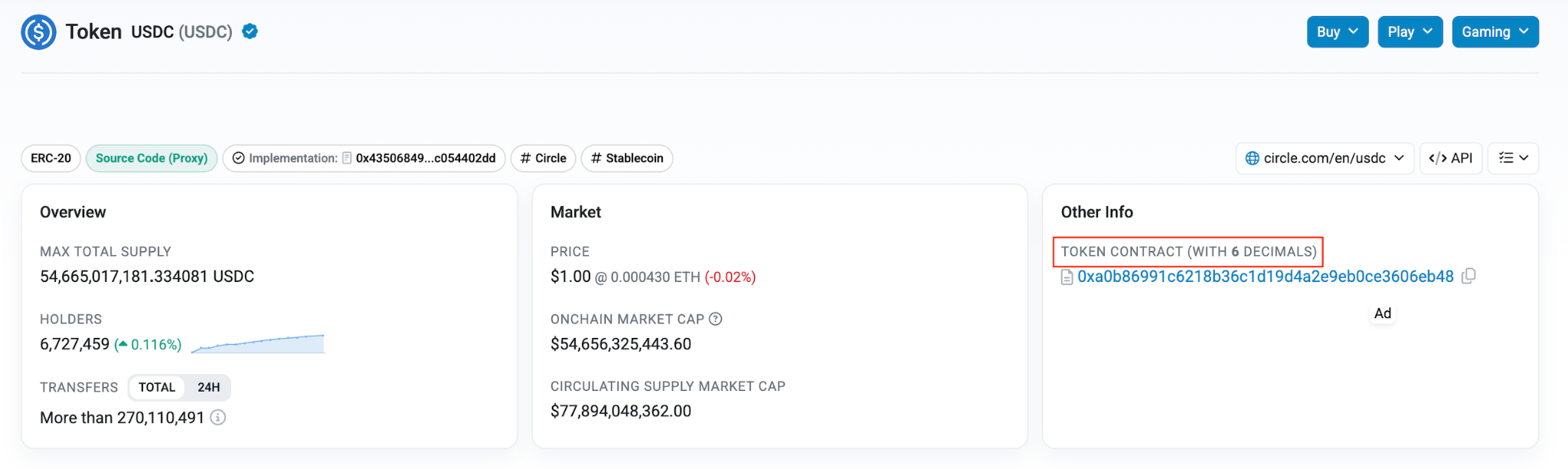
- Locate the Decimals: On the token's profile overview page, look for the "Decimals" field. It is typically displayed in the "Profile Summary" or "Other Info" section, right next to the contract address or official site links.
Common Blockchain Explorers Reference
If your token is built on a different network, you will need to use that specific network's explorer to find your contract data. Here are a few common examples:
| Blockchain Network | Official Explorer Link |
| Ethereum | https://etherscan.io/ |
| Binance Smart Chain | https://bscscan.com/ |
| Avalanche | https://snowtrace.io/ |
| Polygon | https://polygonscan.com/ |
| Arbitrum | https://arbiscan.io/ |
Important Reminder:
Please double-check your numbers before submitting your form! It is the submitter's responsibility to ensure all provided information is accurate. Submitting incorrect decimal data will result in your listing request being rejected.
Need Help?
If you have further questions or encounter issues, please submit a ticket at our Support Center.