How to Manage API Email Recipients
Last updated: October 2, 2026
We have introduced a new feature for our API subscribers: Manage API Email Recipients. This tool allows you to route critical billing and usage notifications to multiple stakeholders on your team, ensuring the right people get the right information without manual forwarding.
Important: This feature is accessible only to the Account Owner. Team members added as "Collaborator" role will not see these configuration options.
Why use this feature?
- Avoid Missed Payments: Ensure your Finance team receives invoices and billing alerts directly.
- Monitor Usage Effectively: Automatically notify your Engineering team when your API usage hits specific thresholds.
- Streamline Communication: Manage stakeholders directly from your dashboard without contacting support.
How to Add & Manage Recipients
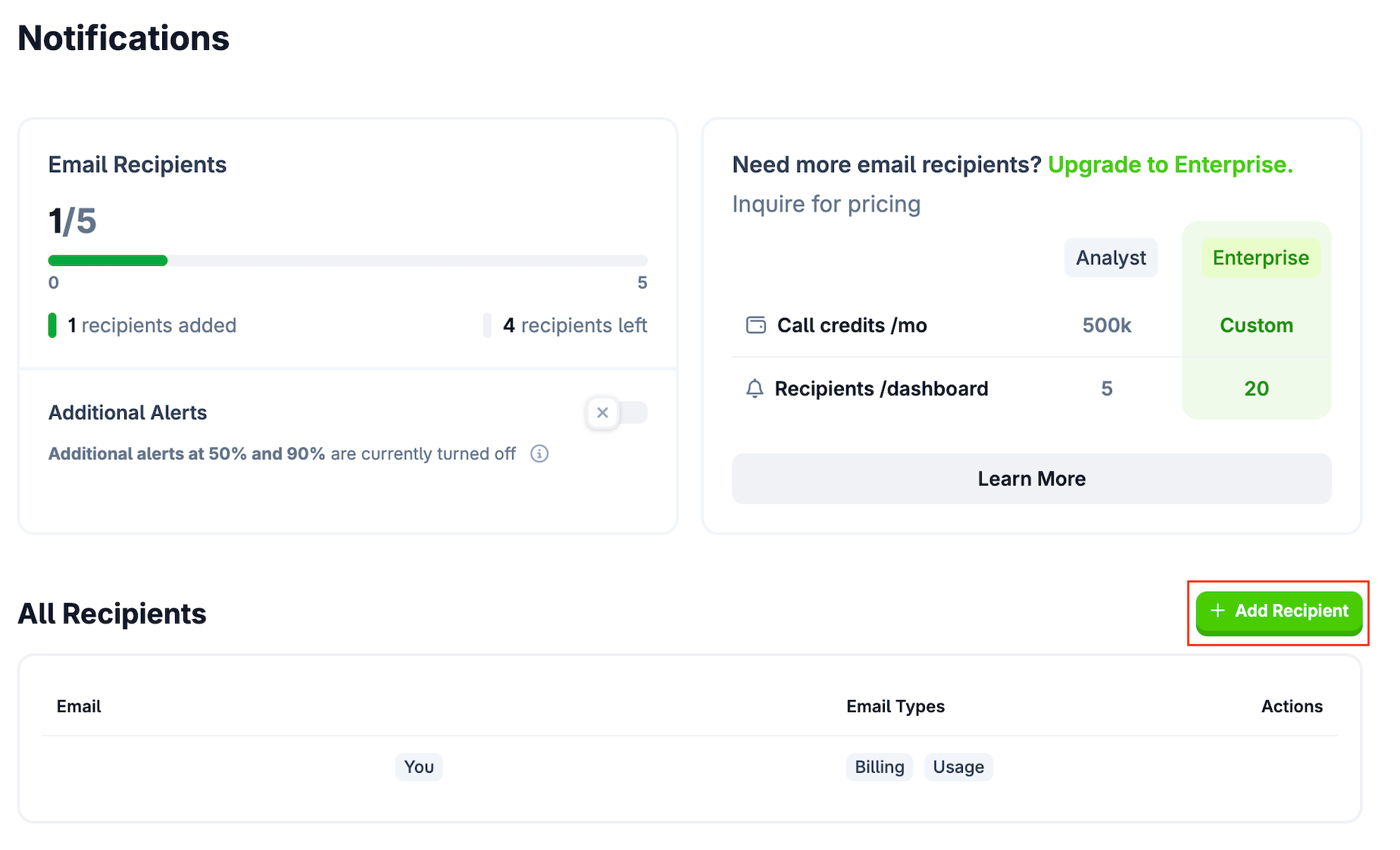
You can manage your notification settings directly from the Developer Dashboard. This is a fully self-serve feature; you do not need to contact support to update these lists.
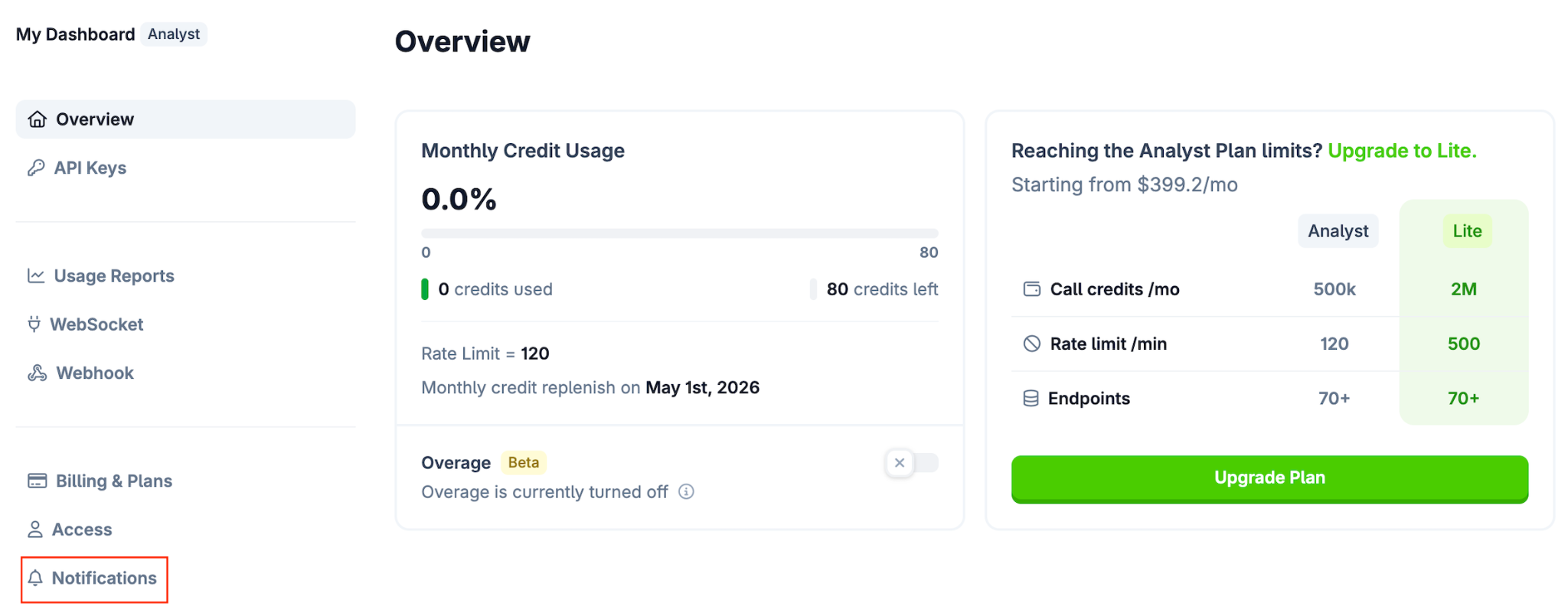
1. Access Notification Settings
- Log in to your Developer Dashboard.
-
Navigate to the Notifications tab.
2. Add a New Recipient
-
Click the "+ Add Recipient" button.
- Enter the Email Address of the stakeholder.
- Note: The system only verifies that the email address is valid (correct format). The recipient does not need to have a registered CoinGecko account.
- Tip: Please double-check for typos. If an email address is invalid or bounces, the system will not automatically remove it or notify you of the failure.
- Select the Notification Types you want them to receive (Billing, Usage, or both).
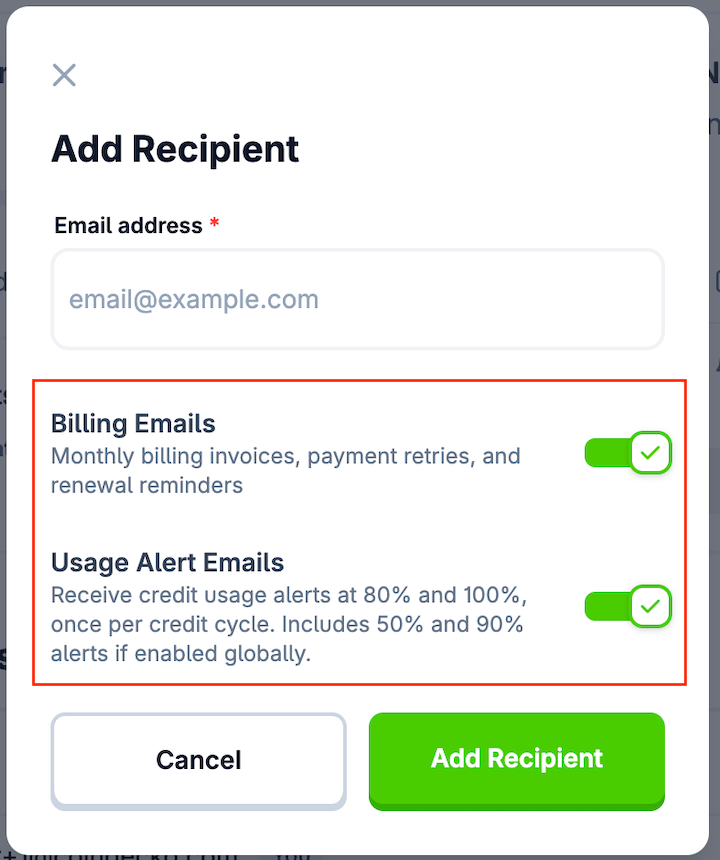
- Click Add Recipient.
3. Edit or Remove Recipients
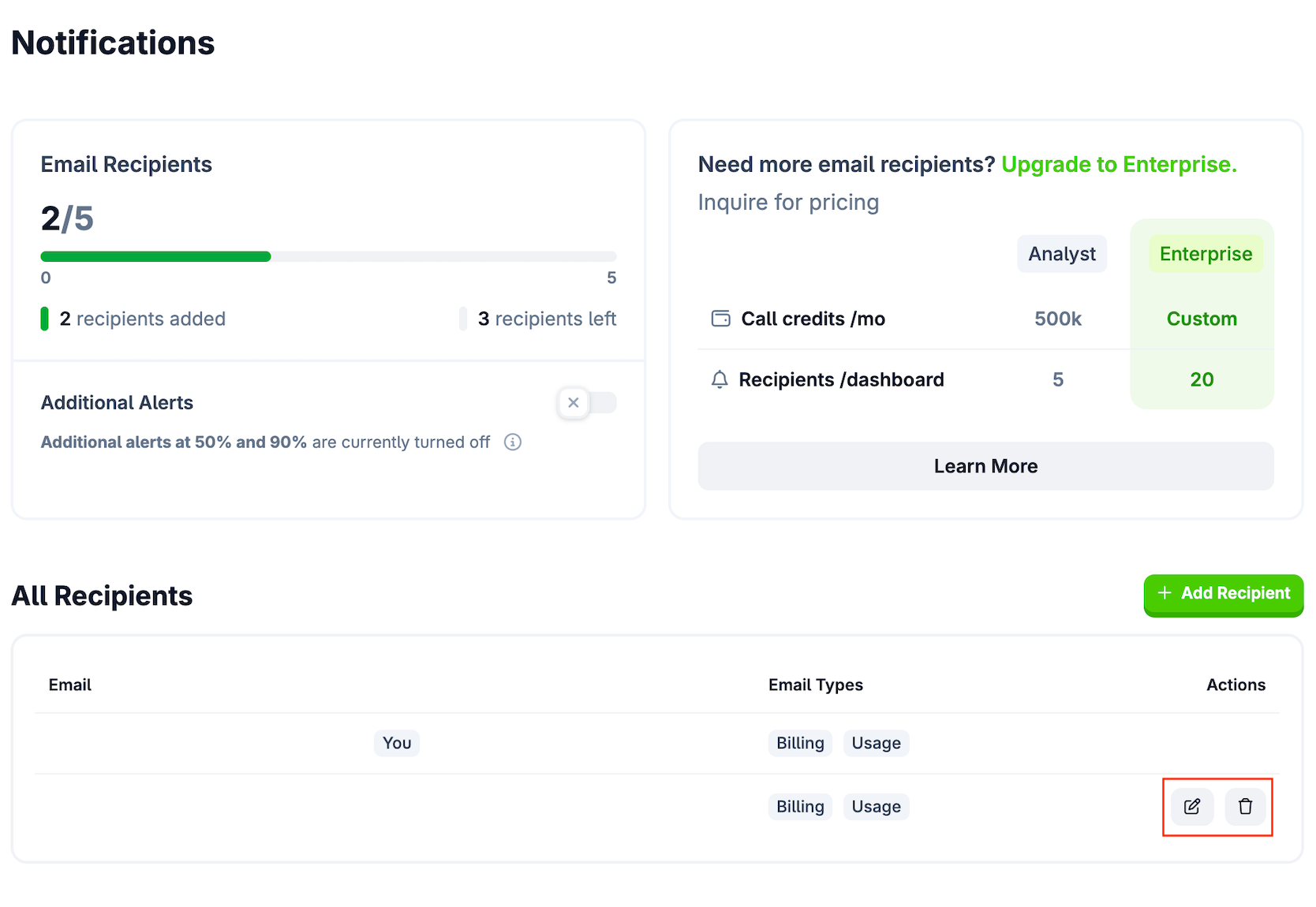
- To Edit: Click the Edit (pencil) icon next to a recipient to change their notification preferences.
- To Remove: Click the Delete (trash) icon to permanently remove a recipient from the list.
Notification Types & Availability
You can customize which emails each recipient receives based on their role. Please note that availability depends on your plan type (Self-serve vs. Managed).
| Feature | Self-serve Plans | Managed Accounts |
| Billing emails | ✅ Available | ❌ Not Available |
| Usage alerts | ✅ Available | ✅ Available |
1. Billing Notifications
Recipients with this enabled will receive all finance-related communications, specifically:
- Monthly Invoices
- Payment Retry Alerts (if a charge fails)
- Subscription Renewal Reminders
2. Usage Alerts
These alerts notify you when your API consumption reaches a certain percentage of your monthly credit limit.
- Mandatory Alerts (80% & 100%): These alerts are mandatory and enabled by default to prevent service interruption. The Account Owner and any recipient who opted into "Usage Alerts" will always receive these.
-
Optional Global Toggle (50% & 90%):
Alerts for 50% and 90% usage are controlled by a single Global Toggle at the bottom left of the page.
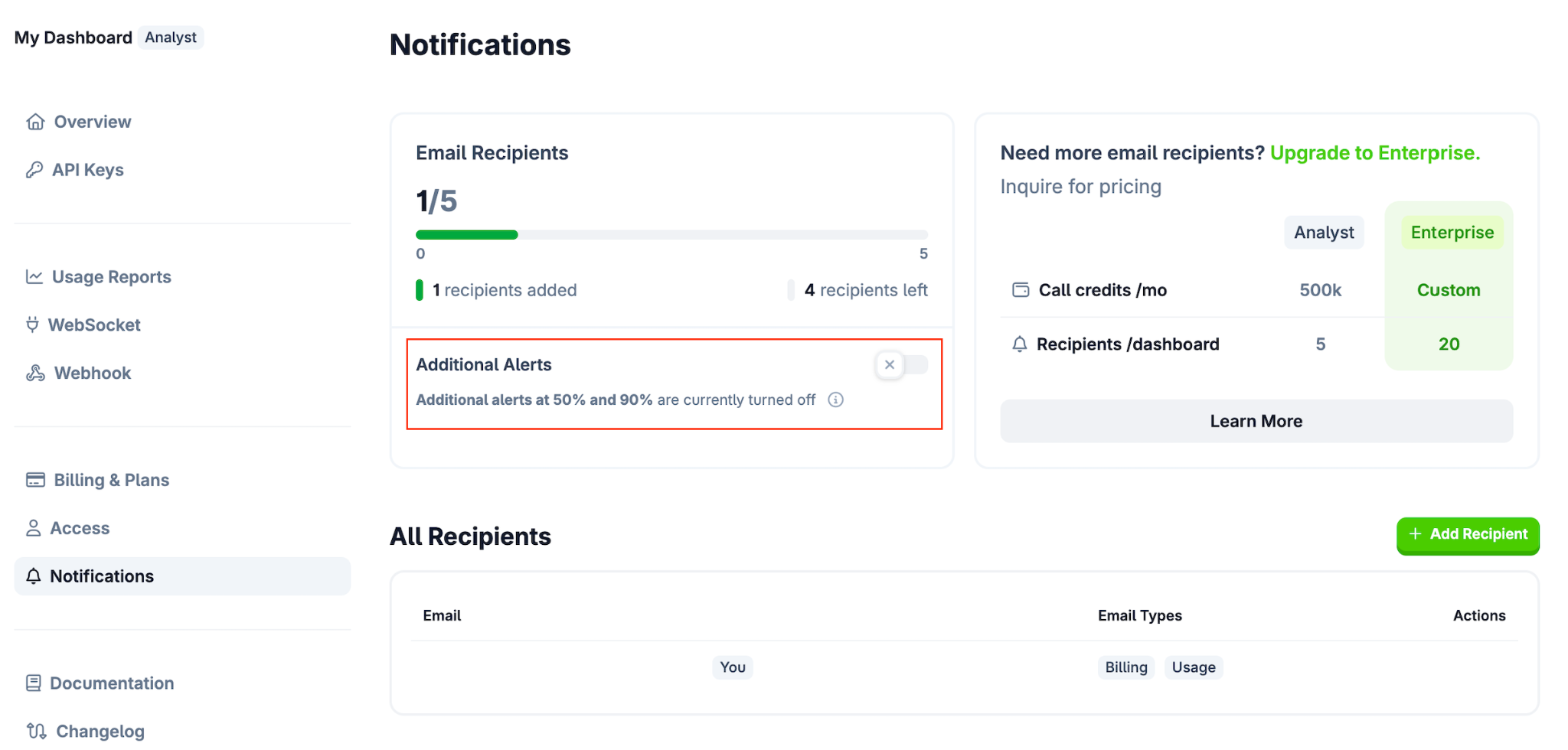
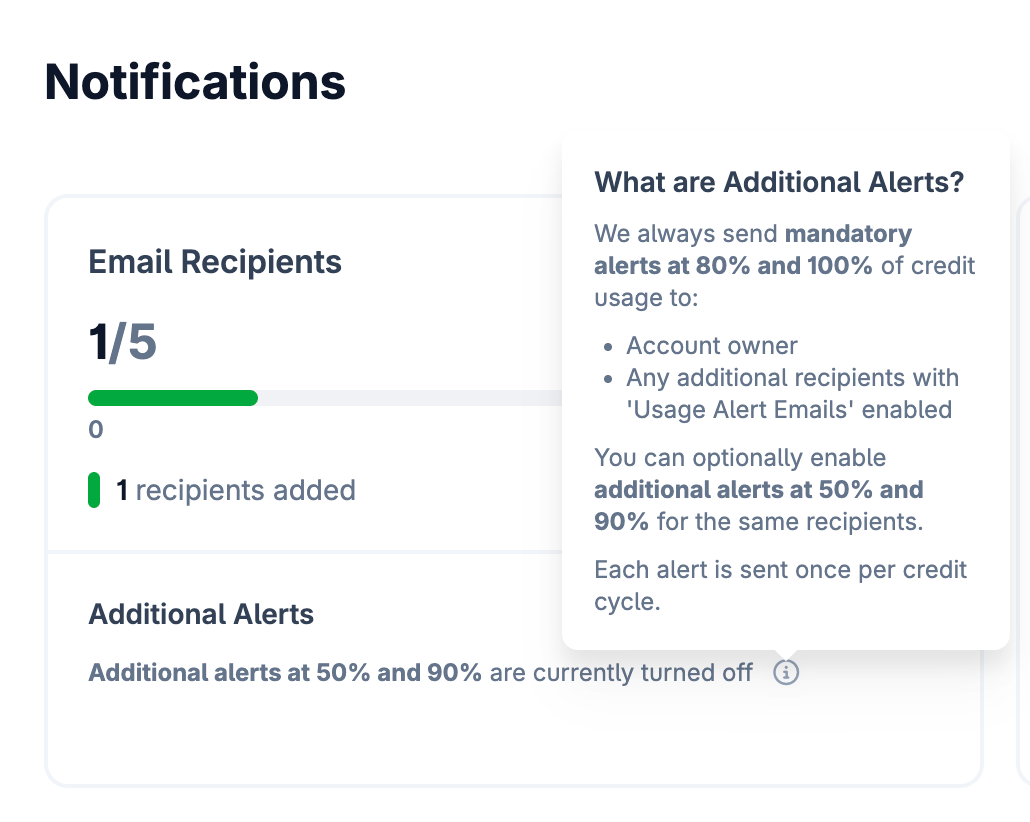
- Toggle ON: The Account Owner + all recipients with "Usage Alerts" enabled will receive warnings at 50%, 80%, 90%, and 100%.
- Toggle OFF: Everyone receives only the mandatory 80% and 100% alerts.
Frequently Asked Questions
What is the difference between an "Email Recipient" and a "Dashboard Member"?
- These are two separate features managed in different tabs:
- Email Recipients (Notifications Tab): These users only receive email alerts. They do not need a CoinGecko account and cannot log in to the dashboard or view API keys.
- Dashboard Members (Team Tab): These users must have a CoinGecko account. They can log in, generate API keys, and view usage data. For more information, please refer to this article: Team Access for API Plans FAQ
- Note: Adding someone as a Dashboard Member does NOT automatically add them to the email list, and vice versa.
What happens to my recipients if I downgrade my plan?
- If you downgrade to a plan with fewer recipient slots (e.g., from Enterprise to Analyst), the system will automatically remove excess recipients starting with the most recently added (First-In-Last-Out).
- Warning: If you upgrade your plan again later, these recipients are not automatically restored. You will need to manually re-add them.
Can I stop receiving emails as the Account Owner?
- No. To ensure account security and service continuity, the primary Account Owner is always a recipient and cannot be removed or opted out of mandatory alerts.
Can support add a recipient for me?
- No. For security reasons and to ensure data accuracy, our support team cannot manage recipient lists manually. Please use the self-serve Notifications tab in your dashboard.
If you have additional questions, drop a ticket here for our team to assist you further.